
Schema Markup for B2B Websites: Which Types to Use and How to Add Them
Which schema types fit a B2B website, how to add them in JSON-LD and test them, and what markup does and does not do for rich results and AI search.
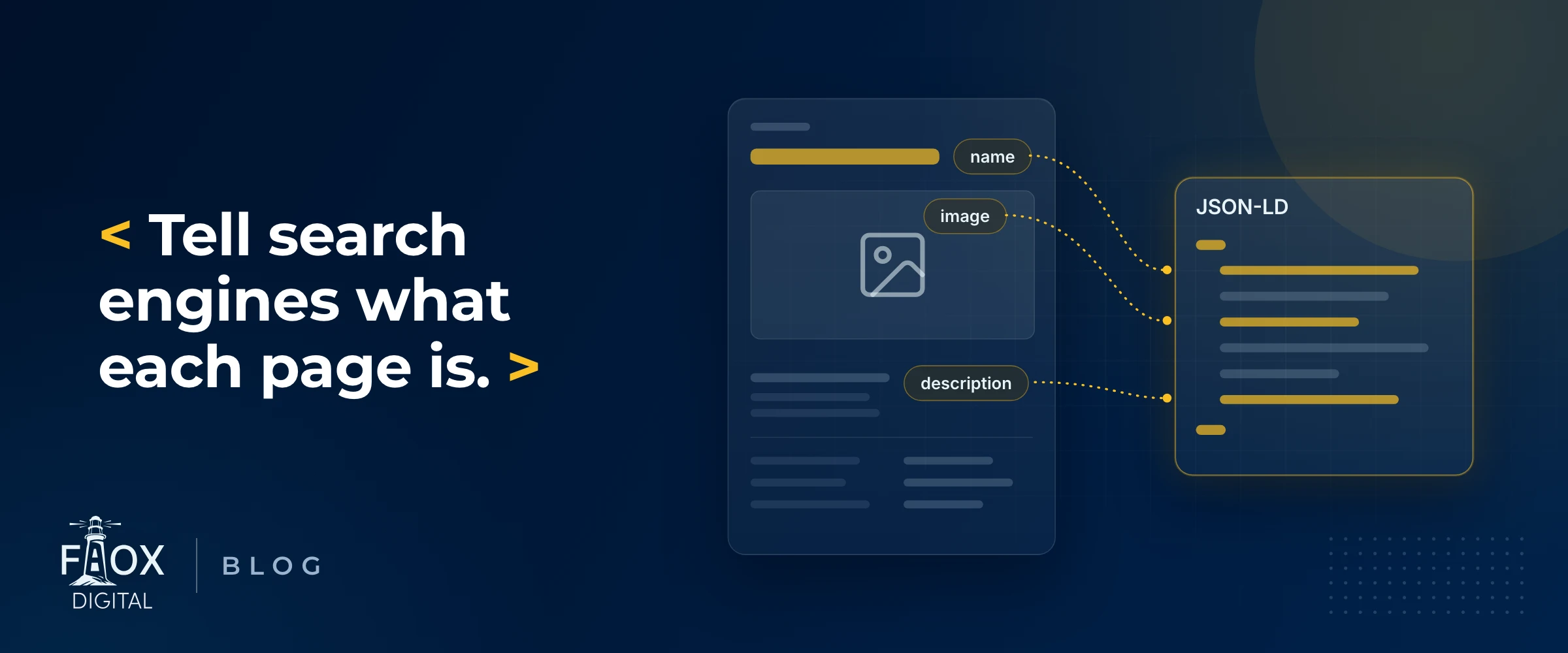
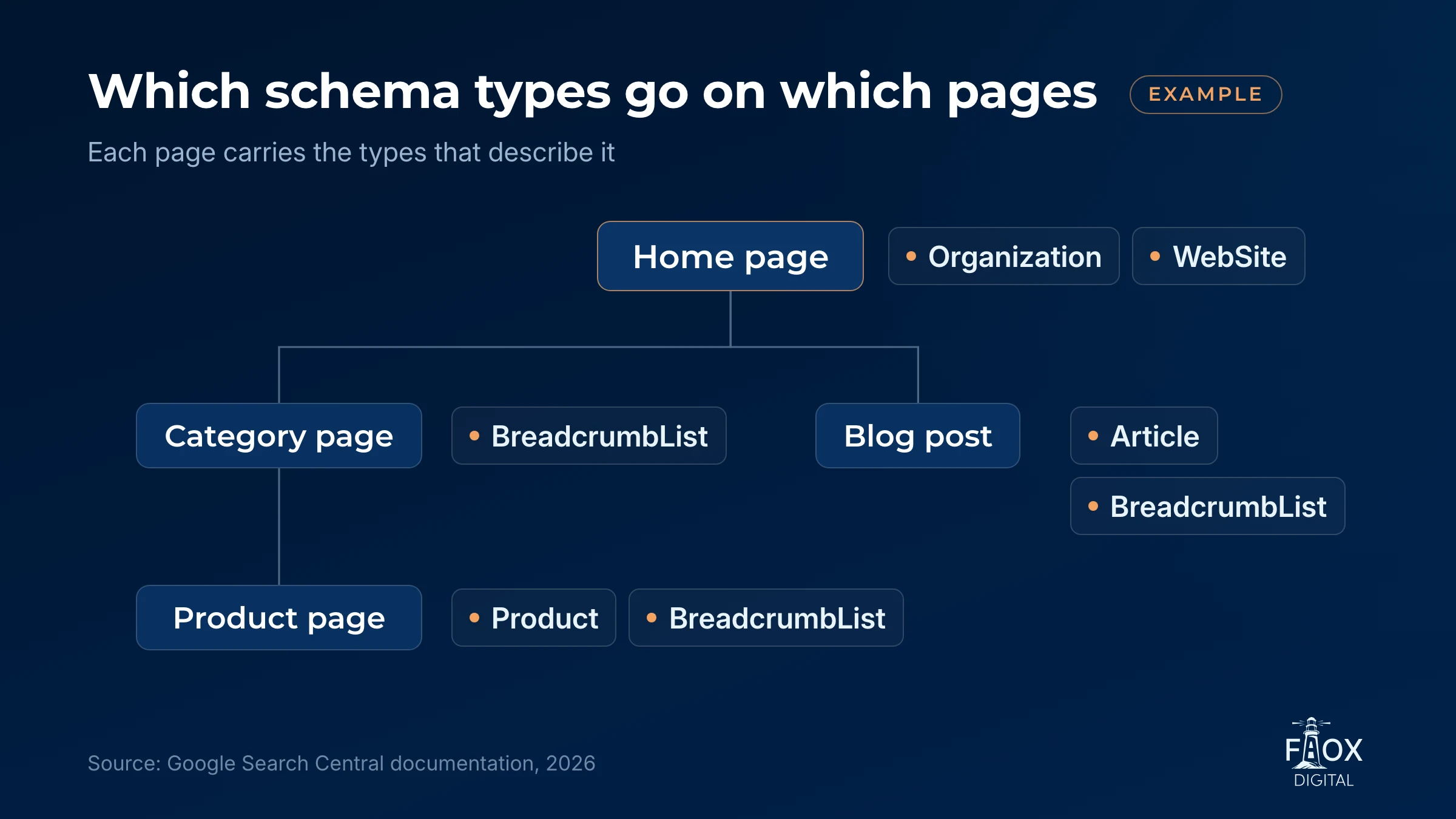
Schema markup is code, usually in JSON-LD format, that describes a page in the Schema.org vocabulary so search engines can read what it is about. On a B2B website, start with Organization and WebSite on the home page, BreadcrumbList across the site, Article on blog posts and Product on pages about one product. Add it to your templates, test it with the Rich Results Test and keep it true to what the page shows, because markup makes a page eligible for rich results but does not promise them.
Schema markup has a narrow job. It will not rescue a weak page, and most B2B pages have fewer rich result options than a shop or a recipe site. What it does is tell search engines plainly who your company is, how your site is organized and what a product page describes, without leaving them to guess. For where it fits in the wider technical work, see our technical SEO guide.
What is schema markup?
Schema markup, or structured data, is a set of labels that say what each piece of a page is, such as a company name, a logo or a product. Three terms are worth separating:
- Schema.org is the shared vocabulary, founded by Google, Microsoft, Yahoo and Yandex. Schema.org reports that, as of 2024, over 45 million web domains use it.
- JSON-LD is the format Google recommends. It sits in a script block, apart from the visible HTML. Google also accepts Microdata and RDFa.
- Rich results are the enhanced search listings markup can make a page eligible for. Google’s structured data guidelines (2026) say correct markup enables a feature but does not ensure it will appear.
Do rich results matter? Google’s 2025 introduction to structured data cites Nestlé, which measured an 82% higher click-through rate on pages shown as rich results than on other pages. That is a consumer brand, so treat it as a direction, not a B2B forecast. The steadier benefit is clarity: Google says it also uses markup to understand a page and to gather information about the companies and people in it.
Which schema types to use on a B2B website
These types fit most B2B sites at the time of writing (November 2026). Google changes its rich result features often, so check its list of supported features before you rely on one.
| Page | Type | What it says | What it can do in Google |
|---|---|---|---|
| Home page | Organization | Name, logo, address, contacts, company identifiers | Helps Google tell your company apart; can influence the logo and knowledge panel |
| Home page | WebSite | Your site’s name | States your preferred site name in results |
| Pages below the home page | BreadcrumbList | The page’s place in the site | A breadcrumb trail, on desktop only |
| Blog posts and guides | Article | Headline, author, dates, images | Better title, image and date information |
| A page about one product | Product | Name, description, images, plus price or reviews if you publish them | A product snippet, only with a price, rating or review |
| FAQ sections | FAQPage | Questions and answers | Nothing: FAQ rich results ended on May 7, 2026 |
Organization has no required properties; Google says to add those that apply, such as name, legalName, url, logo, address, contactPoint and identifiers like vatID. sameAs lists pages elsewhere that identify the same company, such as your LinkedIn profile or a trade directory entry. That consistency across the web is the subject of our article on entity SEO.
WebSite goes on the home page and states your preferred site name. Google says it is the most important signal for that preference, and asks for a concise, commonly recognized name, not a generic one.
BreadcrumbList needs at least two items and should match the trail people see, on category, product and article pages alike. Google shows the trail on desktop only, so do not expect it in mobile results.
Article has no required properties. Give headline, image, datePublished, dateModified and author, and list every author shown on the page. BlogPosting is the more specific option for blog posts.
Product is where B2B sites expect too much. Google splits product markup in two: product snippets for pages where people cannot buy directly, and merchant listings for pages where they can. A product snippet requires name plus one of offers, review or aggregateRating. So a page with no public price and no reviews will not qualify, however valid its markup, and that is no reason to invent either. Google also limits product rich results to pages that focus on one product, and recommends product pages over category pages. You can still describe the product truthfully: Google notes that properties it does not require may be useful to other search engines and tools.
FAQPage needs an honest note. Google stopped showing FAQ rich results on May 7, 2026, then removed the documentation in June. Microsoft’s October 2025 advice names FAQ among the labels that help its systems, so you need not rip it out, but do not add it for Google.
Other types earn their place only where the content exists: Local business for real premises, Job posting for open roles, Video for product videos. Schema.org has many more, such as Service, that have no Google feature. Use them if they are true, and expect nothing visible from them.
Schema markup example: an Organization in JSON-LD
Here is a schema markup example for an invented company. It goes in the HTML of the home page:
<script type="application/ld+json"> {"@context": "https://schema.org", "@type": "Organization", "name": "Example Valves", "legalName": "Example Valves Ltd", "url": "https://example.com/", "logo": "https://example.com/logo.png", "sameAs": ["https://trade-directory.example/valves"]} </script>
Each type has its own properties. Take them from Google’s documentation for the feature you want, because Google says that, not schema.org, is definitive for how Search behaves.
How to add schema markup to your site
A CMS plugin is often the quickest route, and Google suggests it. On a custom site, build the markup into your templates so each page type generates it from the same data the page displays.
JavaScript is the riskier path. Google can read JSON-LD added by script, but it warns that dynamically generated Product markup can make Shopping crawls less frequent and less reliable. Other crawlers may not run scripts at all: a December 2024 study by Vercel and MERJ found that the AI crawlers of OpenAI, Anthropic, Meta, ByteDance and Perplexity did not render JavaScript. Put the markup in the initial HTML if you can.
- List your page types. Home, product, category, article and contact pages usually cover most of a B2B site.
- Choose the types for each template. Use the table above and skip anything the page does not show.
- Fill the markup from the page’s own data. Names, prices and dates then cannot drift from what people see.
- Test a sample URL. Fix critical errors in the Rich Results Test before release.
- Release to a few pages first. Use URL Inspection to see how Google reads them.
- Roll out and watch the reports. Google warns that markup can break after deployment through templating or serving issues.
How to test schema markup
Four tools answer different questions:
| Tool | What it checks | When to use it |
|---|---|---|
| Rich Results Test | Which Google rich result types a URL or code snippet can produce, and any errors | Before release |
| Schema Markup Validator | Syntax and compliance with Schema.org, not Google features | For types Google does not test, such as Service |
| URL Inspection | What Google found on a page, indexed or live | After release, on a sample |
| Enhancements reports | Valid and invalid items across the site | After rollout, as routine |
The Rich Results Test can read a public URL or pasted code, so test templates before they go live. Fix critical errors first; Google says non-critical issues are worth fixing for quality but are not needed for eligibility. The Schema Markup Validator took over from Google’s old Structured Data Testing Tool, which Google announced in 2020 would move to the schema.org community and stop checking its rich result types.
In Search Console, these reports sit under Enhancements, with product snippets and merchant listings under Shopping. At the time of writing (November 2026), a report appears only if Google finds valid markup of a supported type, and it shows a sample, not every item. So a missing report does not always mean an error.
Testing assumes Google can reach the page. Google says not to block marked-up pages with robots.txt or noindex. If the page itself is missing from search, the cause lies elsewhere; our guide to pages Google won’t index covers that.
What schema markup does for AI tools
This is where claims run ahead of the evidence. Here is what the primary sources say:
- Google. Its guide to generative AI features (2026) says structured data is not required for generative AI search and there is no special schema.org markup to add, while calling it a good idea for rich results. Its page on AI features and your website (2025) also asks that markup matches the visible text.
- Microsoft. Its advertising blog (October 2025) says schema helps search engines and AI systems understand content.
- Ahrefs. Its 2026 study first found that pages cited by AI were almost three times as likely to have JSON-LD, which could simply reflect better-run sites. It then tracked 1,885 pages that added JSON-LD, against 4,000 control pages. Relative to the controls, citations rose 2.2% on ChatGPT and 2.4% on Google AI Mode, both indistinguishable from zero, and fell 4.6% on AI Overviews, a small gap it could not clearly attribute to schema. Every page was already heavily cited and the window was 30 days, so this says little about pages AI tools do not yet see.
- searchVIU. In a test in October 2025, it put each of eight invented product prices in one place on a page. None of five AI systems named the price that appeared only in JSON-LD. It was a single test, mainly of live page fetching, and has not been repeated.
So keep key facts in visible text first. Markup supports those facts and keeps your company details consistent, but the controlled evidence so far does not show it earning AI citations, and we would not promise that it will.
Common schema markup mistakes
- Marking up what readers cannot see. Google says the markup must describe content that is visible on the page, even if the hidden information is accurate.
- Reviewing yourself. If a company controls the reviews about itself, directly or through a widget, its Organization pages are ineligible for the star review feature.
- Missing required properties. Items without them are not eligible for that rich result.
- Product markup on category pages. A list of products is not one product.
- Copied examples and doubled markup. Check for placeholder values, and for a theme and a plugin both writing the same type.
- Blocked images. Image URLs in the markup must be crawlable and indexable.
- Markup lost in a redesign. New templates can drop it silently, so add it to your migration checklist.
Misleading markup has a cost. Google says a structured data manual action removes a page’s eligibility for rich results, though it does not affect how the page ranks. Add these checks to each technical SEO audit, and if you plan to bring in outside help, our article on technical audit deliverables explains what you should receive.
How Faox Digital uses schema markup
At Faox Digital, structured data is part of the foundations and on-page step of every SEO project, together with architecture, speed and crawler access. We add it as groundwork for the content and authority work that follows, and our reports show rankings, organic traffic and whether AI tools start to cite the company.
Key takeaways
- Start with Organization and WebSite on the home page, BreadcrumbList across the site, Article on posts and Product on single-product pages.
- A product page without a price, rating or review will not get a product snippet, and FAQ rich results no longer exist.
- Add markup at template level in the initial HTML, filled from the data the page displays.
- Use the Rich Results Test before release and the Enhancements reports after it.
- Markup helps search engines understand you, but the controlled evidence so far does not show it earning AI citations.
Frequently asked questions
Does schema markup help SEO?
It helps Google understand a page and makes the page eligible for rich results. Google does not describe it as a way to rank higher, so fix content and technical basics first.
How do I test schema markup?
Use Google’s Rich Results Test to see which rich results a page can produce, and the Schema Markup Validator to check other Schema.org types. After release, use URL Inspection and the Enhancements reports in Search Console.
Do I need a schema markup generator or tool?
A generator or CMS plugin saves typing, but it cannot tell whether the markup matches your page. Check its output in the Rich Results Test and look for values that do not fit the page.
Can a B2B product page use schema markup without a price?
Yes. You can describe the product truthfully, but without a price, rating or review the page will not qualify for a product snippet. Never add a made-up price or review to qualify.
Sources
Let’s talk
Where do you want to be found?
Tell us the searches that matter to your business. We will review your site and tell you plainly what to fix first, including what you can do yourself.