
Website Translation With AI: A Workflow That Keeps Quality Under Control
How to use AI and human translators together on a website: what AI does well, where it stops, how much review each page needs and how to keep every language current.
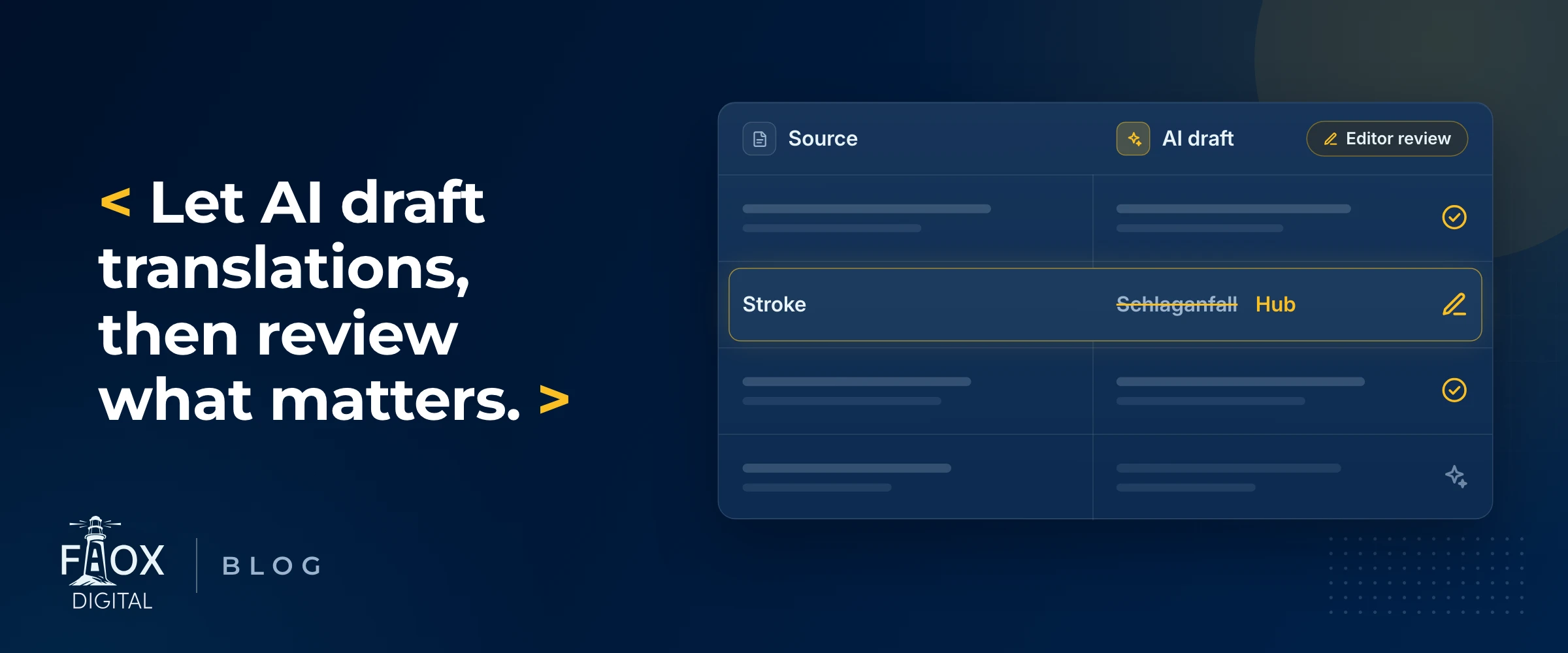
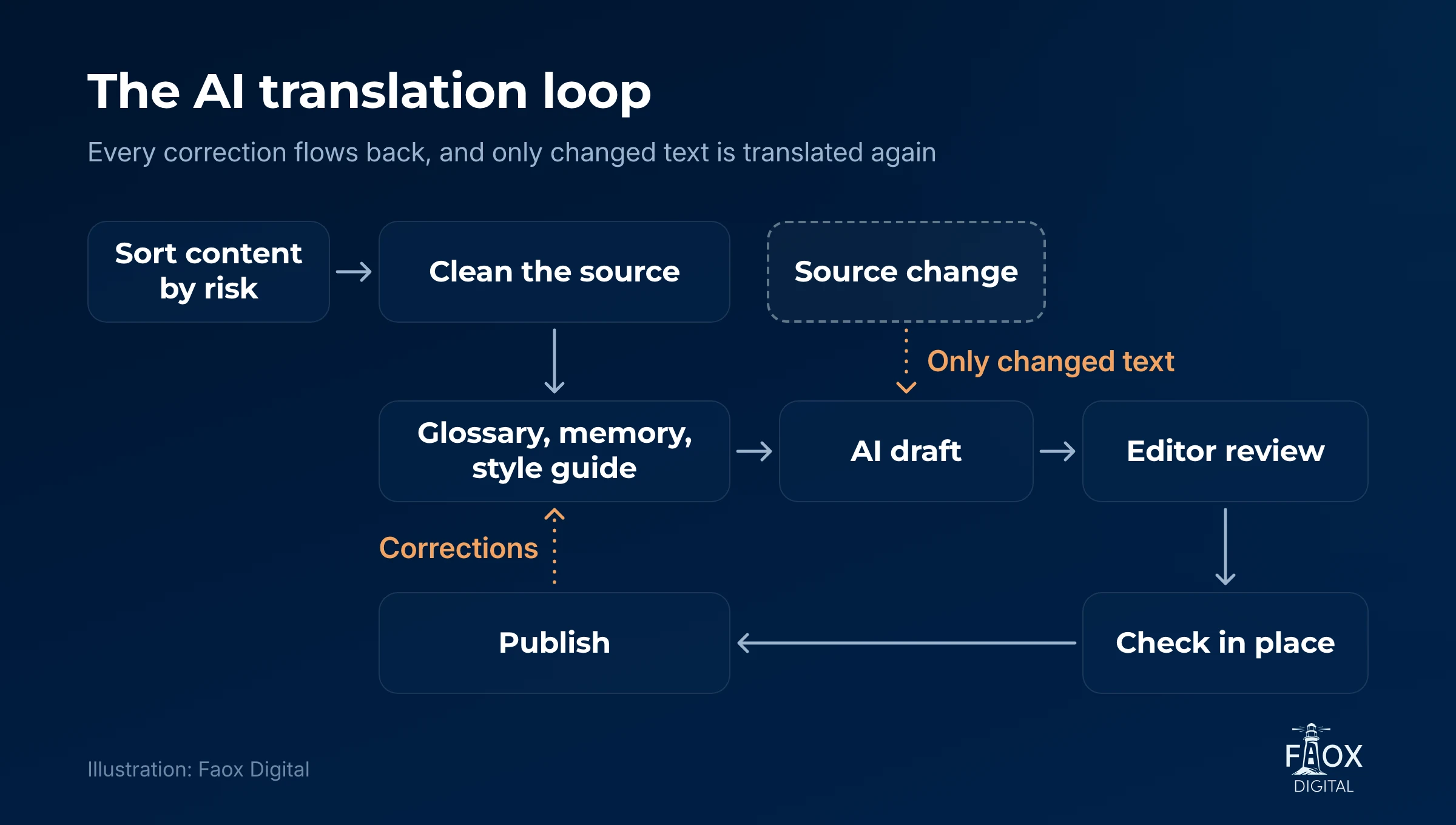
Website translation AI works best as the drafting step in a controlled workflow, not as the whole job. Sort your content by risk, give the tool a glossary, a translation memory and a style guide, have a translator or editor review what matters, and check every page in the live layout before it goes out. Handle updates the same way, so that only changed text is translated again and every correction flows back into the glossary and memory.
A good AI tool can translate a product page in seconds, and the result often reads well. That is the reason to use it. It is also the risk, because a fluent sentence with a wrong term or a shifted date looks exactly like a correct one, and a buyer who spots it may not tell you.
This article shows what AI translation does well, where it stops and how to combine it with a translator so that quality stays under control and every language stays current. It assumes the structure is settled; for URLs, language switchers and CMS choices, see our guide to building a multilingual website.
Website translation AI: what it does well
Machine translation is any automated translation. Neural engines have powered tools such as Google Translate and DeepL for years. AI translation usually means large language models, which can also follow instructions on audience, tone and terms. The line is fading: at the time of writing (November 2026), Google Cloud Translation offers its neural model and a "Translation LLM" side by side.
The results deserve respect:
- Common language pairs. At the 2024 Conference on Machine Translation (WMT), the best systems for English to Spanish produced close to flawless translations.
- Against human translators. In a 2024 preprint by Yan and colleagues, GPT-4 matched junior translators on total errors and lagged behind medium and senior ones. In its technology texts it came close to medium-level translators, apart from names and terms.
- Working speed. In a small 2019 study by machine translation firm TextShuttle and Migros Bank, in-house translators worked about 60% faster from German to French when post-editing a machine draft than with translation memory alone. From German to Italian the gain was about 9% and not statistically significant. Expert raters found equal or slightly better quality, and one of the four translators was slower.
The models in these studies have since been replaced, so treat the figures as a direction and not a forecast. The saving is in drafting. Review, testing and upkeep still take people’s time.
Where AI translation stops: a test on real product lines
To see the limits on B2B text, we ran lines from Rittal’s international English product page for an enclosure, plus three lines of our own, through the free versions of Google Translate and DeepL in November 2026, with no glossary and no instructions. We then compared the terms with Rittal’s German page.
| English line | What the tools returned | What it shows |
|---|---|---|
| Sheet steel, 1.5 mm | Stahlblech, 1,5 mm (both) | Right term, right decimal comma |
| Stroke: 100 mm | Hub: 100 mm (both) | Right term for a cylinder, thanks to context |
| Stroke, on its own | Schlaganfall (both) | A medical stroke, because a short string has no context |
| Enclosure frame | Gehäuserahmen (both) | Sensible German, but Rittal says Schrankgerüst |
| Gland plates | Verschraubungsplatten (Google), Kabelverschraubungsplatten (DeepL) | Rittal says Bodenbleche |
| Maximum pressure: 150 psi | Maximaler Druck: 150 psi (both) | The figure is safe, but a German buyer expects bar |
| Delivery by 06/07/2027 | 06.07.2027 (Google), 07.06.2027 (DeepL, which also offered 06.07.2027) | Two different dates from one line |
One test on one day proves little about either tool, and results change. It does show the pattern. Ordinary language and number formats came through well, and the problems sat elsewhere:
- Your own terms. A tool cannot know what your company calls a part. The WMT 2025 report still lists domain terminology among the remaining weaknesses.
- Short strings. Menu labels, buttons and attribute names arrive with no context, and context is what turned Schlaganfall into Hub.
- Ambiguous source text. Our date could mean June or July, and each tool picked one. A translator would ask.
- Market decisions. A tool will not decide that this market needs bar, or that buyers there search for another word. Research keywords for each market before you translate page titles and headings.
- Rarer languages. Yan and colleagues found GPT-4 weakening from well-resourced to poorly resourced languages, and between Chinese and Hindi it fell behind their baseline machine translation system. Test each language on its own.
- Errors that hide. The WMT 2024 organizers warned that output which reads fluently, among otherwise perfect text, can still contain serious flaws. Their 2025 report found that automatic scores did not always match human judgments, and concludes that human evaluation should stay the final judge of quality.
Check where your text goes as well, especially for unreleased products. DeepL’s privacy policy (updated October 2026) says its free version may use your texts for a limited time to train its systems, and that its Pro services do not. Google’s data usage FAQ (updated November 2026) says Cloud Translation does not use your content to train its translation features. Read the terms of any tool before you paste into it.
Decide how much review each kind of content needs
Not every page deserves the same effort. Sort your content by what a mistake would cost:
| Content | If it is wrong | Process | Final check by |
|---|---|---|---|
| Safety instructions, legal pages, certificates | Injury, liability or a lost approval | Specialist translator; an AI draft only with full review | Subject expert or lawyer in that market |
| Specifications, data sheets, product data | Wrong part ordered, returns | AI draft with glossary, full review | Translator and engineer |
| Home and campaign pages | Weak first impression | Written for the market from a brief; AI may suggest options | Native-speaking marketer |
| Category and service pages | Lost trust and lost searches | AI draft with glossary and local keywords, full review | Editor |
| Forms, buttons, messages, emails | Buyer stuck at the last step | AI draft with context notes, review in place | Editor and web team |
| Blog posts, older support articles | Mild annoyance | AI draft, light review, spot checks | Editor |
| Reading a foreign enquiry or supplier page | Little, if you check before acting | AI alone | Nobody |
Editor review of a machine draft is often called post-editing, and it has two levels. ISO 18587 describes light post-editing as producing a merely comprehensible text and full post-editing as producing something comparable to human translation, as researcher Sharon O’Brien sets out in a 2022 chapter. She also points out how hard that line is to draw. So do not simply order a light review: write down what the reviewer must check, such as terms, figures and anything added or left out. The standard sets requirements for the full kind only, and it is being revised.
A professional translator who knows your sector is the natural reviewer, because checking a machine draft takes much the same skills as translating. A bilingual colleague can confirm terms but may miss an error that sounds right.
Prepare a glossary, translation memory and style guide
Three things make AI drafts better and reviews shorter. Have someone on your side approve them.
Glossary. A glossary lists approved terms for each language, plus what stays untranslated, such as brand names, part numbers and standards. Start with manuals your engineers have already checked, and ask distributors which words buyers use. Then load it into the tool. Google Cloud Translation, for example, calls its glossary a custom dictionary for consistent domain terms.
Translation memory. A memory stores each approved sentence with its translation, so that nobody translates the same sentence twice. Run it before the AI. In the Migros Bank study, machine drafts filled only the sentences with no memory match of at least 80%, because editing close matches is more efficient.
Style guide. A page or two is enough: formal or informal address, sentence length, how to write numbers, units and dates, and any wording you avoid. Microsoft’s public localization style guides show the kind of rules to set for each language.
If your tool accepts instructions, brief it as you would brief a new translator:
- Who the reader is, which market it is and what the page has to do
- The form of address to use
- The glossary and the list of what stays untranslated
- Keep every number, unit, part number, link and tag unchanged
- Translate whole pages, not isolated sentences
- Flag anything ambiguous instead of guessing
How to translate a website with AI, step by step
- Sort content by risk. List pages, forms, emails, downloads and metadata, and give each a review level from the table above.
- Clean the source. Finish the text, remove ambiguous dates, add context notes for short strings and take words out of images.
- Prepare the glossary, memory and style guide. Get them approved before anyone translates.
- Choose the tools and run a pilot. Translate a sample of real pages in each language and have a reviewer mark every error by type.
- Create the AI draft. Let the memory fill what it can and the AI the rest, with the glossary and your instructions.
- Run the editor review. Review to the level you set, with a subject expert on technical pages.
- Check in place. Open each page in the live layout and work through the check below.
- Publish and feed back. Connect the language versions, and put every correction into the glossary and memory.
Website translation tools fall into three groups: engines and AI models that produce the draft, CMS plugins or connectors that move text in and out of your pages, and translation management systems that hold the memory, the glossary and the review steps. A small site may need only the first two. Ask whether a tool can apply your glossary and export your memory. If your site runs on WordPress, our article on WordPress in several languages compares the setups.
The pilot gives you numbers of your own. The MQM-Core framework offers reviewers seven error dimensions: terminology, accuracy, linguistic conventions, style, locale conventions, audience appropriateness, and design and markup. ISO 5060 (2024) describes the same approach of error types and penalty points. If most errors are terminology, fix the glossary before you change tools. If one language keeps failing on accuracy, raise its review level or start from a translator.
The pre-publication check
A review on a screen full of text misses what the buyer sees on the page. The pre-publication check happens in the real layout, on a phone and on a desktop:
- Numbers, units, part numbers and dates match the source
- Terms match the glossary on every page
- Nothing has been added or left out, section by section
- Buttons, menus and tables hold up with the longer text
- Forms work, and their error messages and confirmation emails are in that language
- Links and the language switcher stay in the right language
- Page titles, descriptions, image alt text and structured data have been reviewed
- Downloads are in the language the page promises
- Legal pages have been checked for that market
Our article on multilingual website design covers what to look for in the layout, including right-to-left languages.
Translating product data
Product data needs the most structure, because catalog fields are short and there are thousands of them. Translate fields, not pages, and treat each type differently:
| Field | Example | How to handle it |
|---|---|---|
| Codes | Part numbers, standards, material designations | Never translate; lock them in the tool |
| Attribute names and fixed values | Stroke, seal material, zinc-plated | Translate once as a list, have an engineer approve it and reuse it |
| Figures and units | 150 psi, 1.5 mm | Keep the figures; convert units by your own rule, not by the translation tool |
| Free text | Descriptions, application notes | AI draft with glossary, then review |
Classification standards help with the second row. ETIM, for example, gives every class, feature, value and unit an identifier that does not depend on language, with descriptions that do, so one feature stays one feature in every language. Rittal’s product page, for example, shows both its ETIM and its ECLASS class.
Translate in the system where the data lives, not on the web page, so that the site, the catalog and the sales team use the same words. A B2B product configurator adds text of its own, such as option names and rule messages, and those short strings need context notes too.
What Google says about AI-translated pages
We found no Google rule against AI translation as such. Its guidance on generative AI (updated October 2026) warns that these models predict likely words and do not retrieve facts, and asks for manual review of all AI content before publishing, including metadata. Its spam policies (updated August 2026) treat generating many pages without adding value as scaled content abuse, and that includes scraping content and translating it automatically. Reviewed pages that help a buyer are a different thing from thousands of unchecked ones.
Google may also translate for you. It says it sometimes translates a result’s title and snippet, and a click opens a machine-translated page. Search Console’s Performance report shows these clicks under the Search Appearance filter, which can hint at the language to add next.
Translating updates and keeping languages current
Translating updates is where the glossary and memory pay off, because a site changes constantly:
- Log every source change, so that your CMS or a simple list shows which language versions are out of date.
- Translate only what changed. The memory covers the rest, but review changed text in the context of its page.
- Set deadlines by risk. Prices, certificates and specifications change everywhere at once; a blog post can wait.
- Fix the cause. When an editor corrects a term, update the glossary and memory the same day, or the tool will repeat the error.
- Sample on a schedule. AI models change without notice, so review a sample from each language, using the same error types as your pilot.
If you would rather hand this to someone else, our guide to website localization services covers what a provider should include and what to ask.
How Faox Digital approaches website translation
Faox Digital, which works with B2B companies selling in complex and international markets, gives each language of a website its own structure rather than a translate button and designs it language by language. We test the site in every language and on every device before anyone outside sees it, and the client signs off each step before the next one starts.
Key takeaways
- AI is a strong drafting tool, and on common language pairs the draft can be very good, but it is not the final check.
- The risks sit in your own terms, short strings, ambiguous source text and rarer languages, and they hide inside fluent text.
- Sort content by what a mistake would cost, and set the review level to match.
- Prepare a glossary, translation memory and style guide first, and feed every correction back into them.
- Check every page in the live layout, metadata included, and after launch translate only what changed.
Frequently asked questions
How do I translate a website with Google?
Go to translate.google.com, select Websites, enter the address and select Go. The feature is not supported in all regions. It shows you a machine-translated view and creates no pages on the site. Google’s Website Translator widget is for academic, government, nonprofit and non-commercial sites.
How do I translate a website in Chrome?
On a computer, open the page and select Translate on the right of the address bar, or right-click the page and select Translate to your language. Then choose the language you want. If it does not work, refresh the page.
How do I translate a website on an iPhone or iPad?
In Safari, open the page, tap the Page Menu button and then tap the translate option, if it is offered. Apple says this is not available in all languages or regions.
How do I translate a website in Safari on a Mac?
Open the page in Safari. If it can be translated, the Smart Search field shows a Translate button. Click it and choose a language.
Does Google penalize AI-translated pages?
Google’s published rules do not single out AI translation. The risk comes from publishing many pages that add no value, and from errors a reader would notice. Google asks for manual review of AI content before publishing, so review each page to the level its risk calls for.
Sources
- Yan et al.: GPT-4 vs. Human Translators, arXiv preprint, 2024
- Kocmi et al.: Findings of the WMT24 General Machine Translation Shared Task, 2024
- ISO 18587:2017: Post-editing of machine translation output, accessed November 2026
- Google Search Central: Guidance on using generative AI content on your website, updated October 2026
Let’s talk
Planning a new website or a fix?
Send us your current site and what you need it to do. We will tell you whether it needs a rebuild or a few focused changes.