
Keyword Mapping: How to Give Every Page One Clear Search Target
A method and a template to copy for assigning each search to one page, finding pages that compete with each other and spotting the pages you still need.
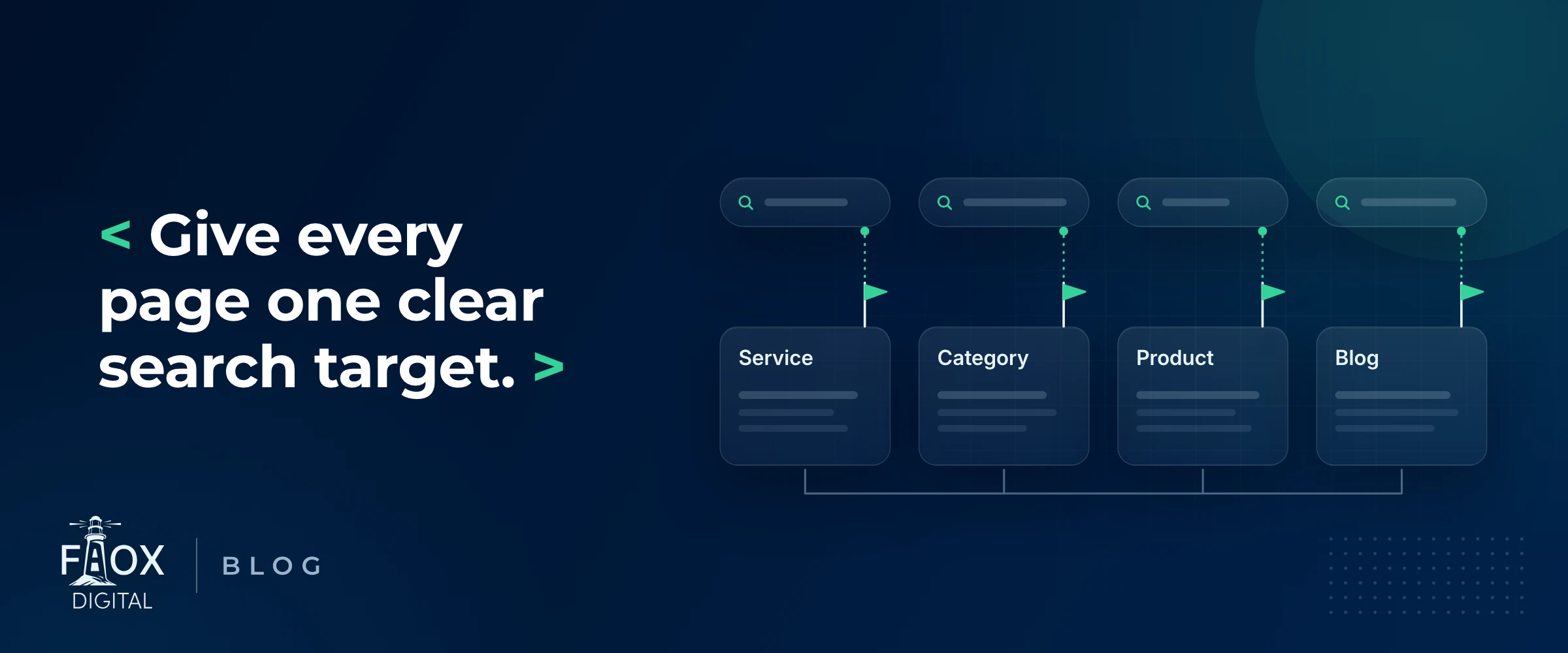
Keyword mapping assigns each search topic to one page on your site, with one primary keyword and a few supporting keywords. You audit your existing pages, group your searches by topic and intent, give each group the page whose role fits, and mark where a new page is needed. The result stops your pages from competing for the same search without reason, and it shows writers and developers what each page is for.
Most B2B sites grow one page at a time: a product launch, a campaign, a blog post someone asked for. A few years later, two articles chase the same search, a category page has no clear target, and nobody can say which page should rank for what. A keyword map fixes that. It turns the list from your B2B keyword research into decisions, page by page. This article gives you the method and a template to copy into a spreadsheet. The examples come from a hypothetical valve manufacturer.
What is keyword mapping?
Keyword mapping means matching searches to pages. Each page gets a primary keyword, the one search it must answer better than any other page on your site. It also gets supporting keywords: variants, synonyms and related questions the same page can answer well.
One clear target does not mean one keyword. Ahrefs’ 2017 study of 3 million searches found that the average page ranking first also ranked in the top 10 for nearly 1,000 other keywords, with a median of around 400. A good page earns many searches. The map only says what its main job is.
That gives the map three uses. It shows where pages overlap, it shows which topics have no page, and each row becomes the start of an SEO content brief for the writer.
Keyword mapping template
Copy these columns into a spreadsheet and use one row per page, per language.
| Column | What to enter | Example |
|---|---|---|
| URL | The page’s address, or "new" if it does not exist yet | /valves/ball-valves/ |
| Page role | Service, category, product or blog | Category |
| Language and market | The version this row covers | English, global |
| Primary keyword | The one search this page must answer best | stainless steel ball valves |
| Supporting keywords | Related searches the same page can answer | 316 ball valve, ball valve manufacturer |
| Intent | Informational, commercial, transactional or navigational | Commercial |
| Current results | Clicks and impressions for the primary keyword | From Search Console |
| Competing page | Any other URL of yours that appears for this search | /blog/ball-valve-guide/ |
| Action | Keep, improve, merge, create or retire | Improve |
| Links in | Pages that should link here, and the anchor text | From the guide, "stainless steel ball valves" |
| Owner and date | Who does it, and by when | Content lead, end of March |
Here is a keyword mapping example with the main columns filled in:
| Page | Role | Primary keyword | Supporting keywords | Action |
|---|---|---|---|---|
/services/valve-repair/ | Service | valve repair service | valve overhaul, on-site valve repair | Keep |
/valves/ball-valves/ | Category | stainless steel ball valves | 316 ball valve, ball valve manufacturer | Improve |
/valves/ball-valves/dn50-pn40/ | Product | ball valve DN50 PN40 | DN50 ball valve datasheet | Keep |
/blog/ball-vs-butterfly/ | Blog | ball valve vs butterfly valve | when to use a butterfly valve | Keep |
New: /applications/hydrogen/ | Category | valves for hydrogen service | hydrogen isolation valve | Create |
Start with an audit of existing pages
Your site already targets searches, whether anyone planned it or not, so build the first version of the map from what exists. An audit of existing pages takes three passes:
- List the pages. Export every URL from your CMS, sitemap or a crawl, with its title, main heading and page type.
- Add what each page earns. The Performance report in Search Console shows the queries each page appears for, with clicks and impressions. Google’s 2022 note on this data says rare queries are anonymized and hidden, so a short list does not always mean little demand.
- Mark each page. Decide whether to keep, improve, merge or retire it. Check enquiries before you retire anything: a page with little traffic can still bring in a buyer.
How to build a keyword map, step by step
With the audit done, work through your keyword list:
- Group searches by topic and intent. If the same pages rank for two searches, they usually belong to one topic and one page.
- Choose the page role for each group. The next section explains which role fits which search.
- Pick one primary keyword per page. Choose the term with the best business value that describes the page accurately, which is not always the one with the highest volume.
- Add supporting keywords. Keep only those the same page can really answer.
- Compare with what the page earns now. If Search Console shows a page doing well for something else, reconsider before you change its focus.
- Flag conflicts and gaps. Two pages with one primary keyword are a conflict. A group with no page is a gap.
- Plan the internal links. Fill in the Links in column for each row.
- Put the map to work. Update titles, main headings and content, and note the date so you can judge the effect.
Gaps show you which new pages you need. Your own research will find many of them, and our guides to competitor keyword analysis and free keyword research tools help you find more. Create a page only when a group of searches has a real answer that no existing page can hold.
Page roles: service, category, product and blog
Page roles keep the map honest, because each role suits a different kind of search:
- Service pages take commercial searches for what you do, such as "valve repair service". There are usually few of them, and their wording depends on how you position the company. If that is still open, settle it first with a positioning statement template.
- Category pages take broad commercial searches, such as "stainless steel ball valves", and lead on to products.
- Product pages take exact searches: a code, a size or a specification.
- Blog posts and guides take questions and comparisons, such as "how to size a control valve". Their job is to inform and send readers on, not to target the same term as a category or product page.
That last point causes many B2B conflicts. A post written around a product term can outrank the product page, and then buyers land on an article with no way to ask for a quote.
Keyword cannibalization: when it matters and how to fix it
Keyword cannibalization means pages on your site compete for one search, so that none does as well as one strong page could. It is not a penalty, and overlap alone is not a fault.
Google’s John Mueller said in 2025, as reported by Search Engine Journal, that several pages appearing in one result is not a problem just because there is more than one, and that pages are not duplicates merely because they appear for the same search. Google’s guide to its ranking systems says it generally shows no more than two listings from one site in its top results. When Ahrefs reviewed a sample of 80 keywords where its own site ranked with several pages, it reported in 2024 that only one needed action.
So look for real signs instead of counting URLs:
- Positions swap. Filter the Performance report by the exact query, open the Pages view and compare date ranges. If the page shown keeps changing, Google may be unsure which to prefer.
- The pages say the same thing. They could be merged without losing anything.
- The wrong page shows. A blog post appears where buyers need the product page.
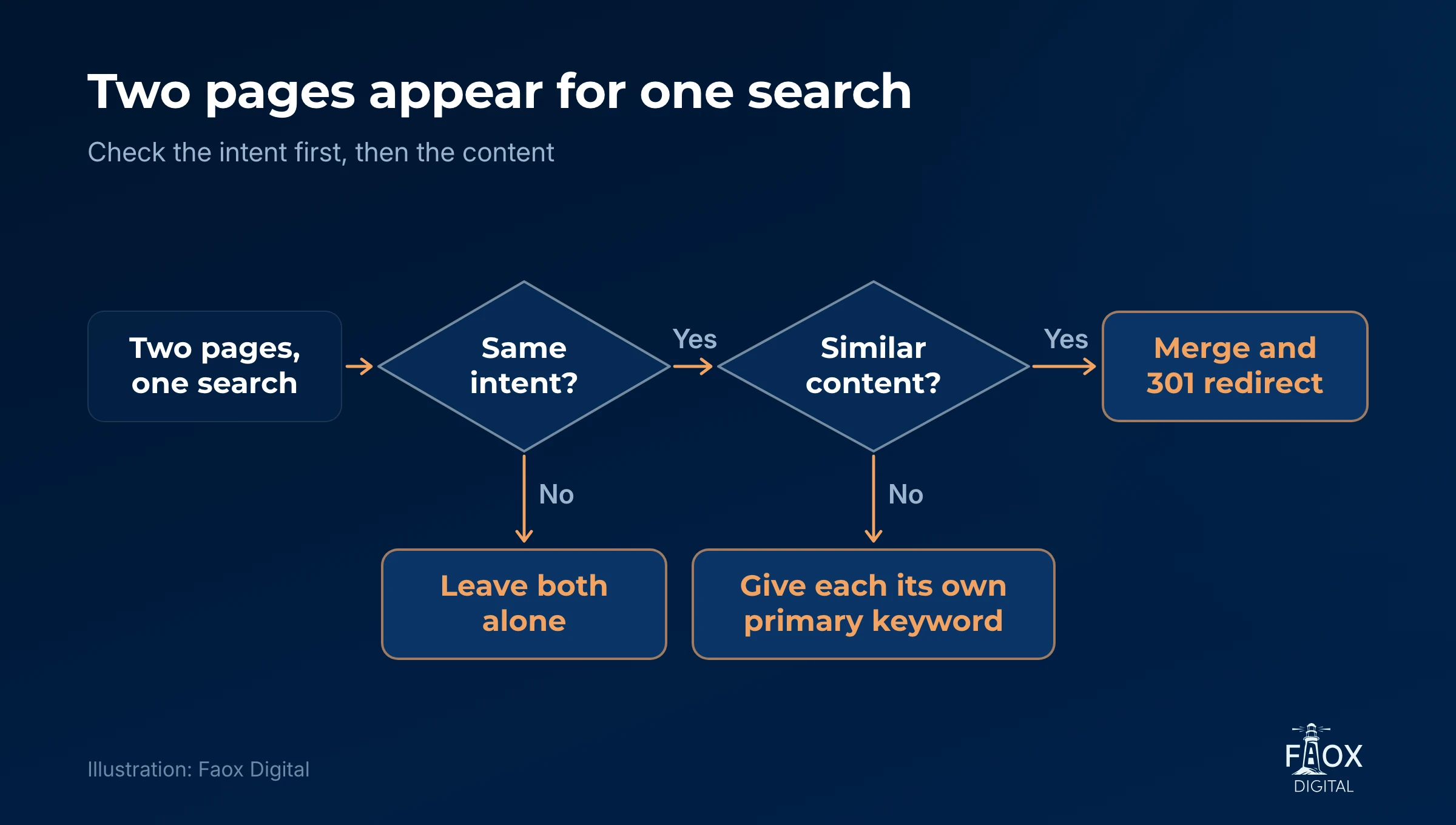
| Situation | What to do |
|---|---|
| Same intent and similar content | Merge into the stronger page and 301 redirect the other |
| Same intent, each with its own content | Give each its own primary keyword and a clear title |
| A blog post ranks for a product search | Refocus the post on its question and link to the product page |
| Filter URLs compete with the category page | Point a canonical tag at the category, or keep crawlers out of them |
| Regional pages in one language | Connect them with hreflang and canonical tags |
| Different intents, both useful | Leave them alone |
Internal links and anchor text
The map shows where internal links should point. Google says every page you care about should have a link from at least one other page on your site, and that good anchor text is descriptive, reasonably concise and relevant.
- Link supporting pages to the main page. A guide on valve materials should link to the category page it supports.
- Use the target’s primary keyword or a natural variation as the anchor. Write it as part of the sentence, not as a repeated formula.
- Keep one page’s primary keyword pointing to that page. If a blog post uses "stainless steel ball valves" to link to another article, it blurs which page you mean for that search.
Multilingual mapping: one map per market
Multilingual mapping is not a translation job. A translated map carries over every mistake and misses what local buyers actually type, so research each market in its own language first. Then add these points to the template:
- One row per language version. Google counts language versions as duplicates only if the main content stays untranslated, so each translated page can have its own primary keyword.
- A shared page ID. It connects the versions of one page, which makes hreflang easier to check, because Google ignores those tags if two pages do not point to each other.
- Local page needs. A term that deserves a category page in one market may only need a section in another, so let each market’s demand decide.
Treat the map as a working document. Review it when you launch a product, enter a market or redesign the site. Once every page has its target, the next question is which of those searches matter most commercially; our guide to searches that bring quote requests covers that.
How Faox Digital builds a keyword map
At Faox Digital, the keyword map is the second of five steps in an SEO project, built after the audit and baseline. We build it market by market, with commercial and informational intent side by side, and you see the priorities and the reasons before any page is changed.
Key takeaways
- A keyword map gives each page one primary keyword and a few supporting keywords, by page role and intent.
- Start from an audit of the pages you have, including what they already earn in Search Console.
- Overlap alone is not a fault: act when positions swap, pages say the same thing or the wrong page shows.
- Use the map to plan internal links and anchor text, and to spot where a new page is really needed.
- Build a separate map for each market from local research, not from translation.
Frequently asked questions
What is the difference between keyword research and keyword mapping?
Keyword research finds the searches your buyers use and judges their value. Keyword mapping decides which page answers each one. Research gives you a list, and the map turns that list into work on specific pages.
Can keyword research and mapping be automated?
Partly. Tools can pull queries, group similar terms and suggest clusters, which saves time. They do not know your products, margins or which enquiries you want, so treat their output as a draft and make the page decisions yourself.
How many keywords should one page target?
Give it one primary keyword and as many supporting keywords as it can honestly answer. There is no set number, because a good page can rank for many related searches without trying to target each one.
Do I need a paid tool to build a keyword map?
No. A spreadsheet, Search Console and a crawl of your site are enough to start. Paid tools add competitor data and volume estimates, which help most when you are looking for gaps.
Sources
- Ahrefs: How many keywords can you rank for with one page?, 2017
- Search Engine Journal: Google answers SEO question about keyword cannibalization, 2025
- Google Search Central: A guide to Google Search ranking systems, 2025
- Search Console Help: Performance report, advanced filtering and comparison, accessed November 2026
Let’s talk
Where do you want to be found?
Tell us the searches that matter to your business. We will review your site and tell you plainly what to fix first, including what you can do yourself.