
Crawl Budget, Sitemaps and Robots.txt: How Google Crawls Your Site
How Googlebot finds and fetches your pages, when crawl budget matters, and how to guide it with sitemaps and robots.txt.
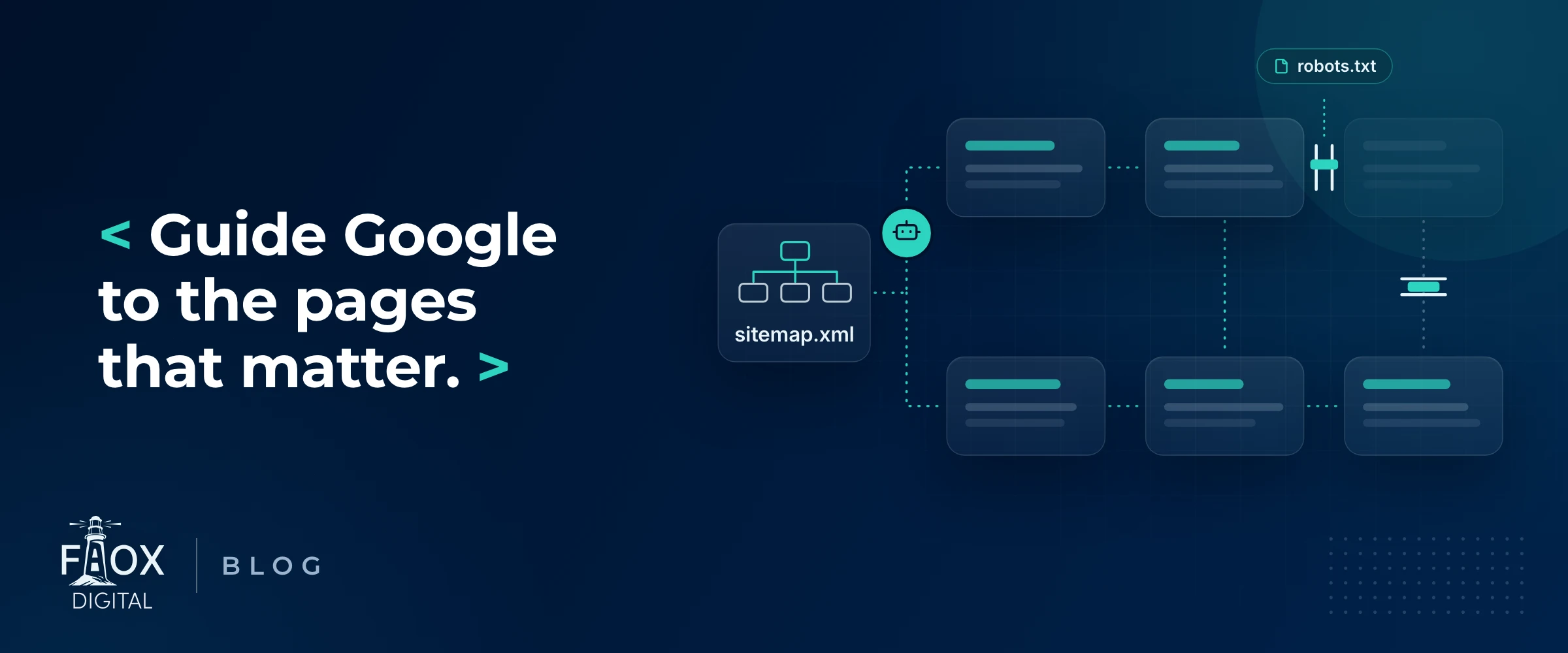
Googlebot finds URLs through links and XML sitemaps, checks robots.txt to see which paths it may request, and fetches pages as fast as your server comfortably allows. Crawl budget is the set of URLs Google can and wants to crawl on your site: a real limit mainly for large or fast-changing sites, while on any B2B site, sitemaps and robots.txt decide whether Google spends its visits on the pages that matter.
Most B2B teams think about crawling only when something goes wrong: a new product range is slow to appear in Google, filter pages show up instead of category pages, or a language version seems invisible. Those problems start at the crawl stage. This article explains how Googlebot works, what crawl budget is and when it matters, and how to use sitemaps and robots.txt. For how crawling fits with indexing and the rest of the foundation, see our technical SEO basics.
How Googlebot crawls a website
Googlebot is Google’s main crawler, and it runs in two versions: a smartphone crawler and a desktop crawler. Most of its requests use the smartphone crawler. It discovers URLs by following links from pages it already knows and by reading the sitemaps you submit, then requests them from your server. CSS, JavaScript and other resources referenced in a page are fetched separately.
Before crawling a site, Google reads its robots.txt file and generally caches it for up to 24 hours, so rule changes are not picked up instantly. On average, Googlebot should not access a site more than once every few seconds, which is why small sites rarely notice its load.
One limit matters for long pages and datasheets. At the time of writing (October 2026), Googlebot fetches the first 2 MB of an HTML page or other supported file and the first 64 MB of a PDF. Product listings bloated with inline code or very large PDF catalogs can lose content beyond that point, so keep key content early and files lean.
What is crawl budget?
Crawl budget is the set of URLs Google can and wants to crawl on your site. It comes from two forces:
- Crawl capacity limit: how much crawling your server can take. It rises while your site responds quickly and steadily, and falls when it slows down or returns server errors. Google’s own resources set an upper bound too.
- Crawl demand: how much Google wants to crawl. It depends on the URLs Google knows about, how popular they are and how often they change. Site-wide events such as a site move raise demand for a while.
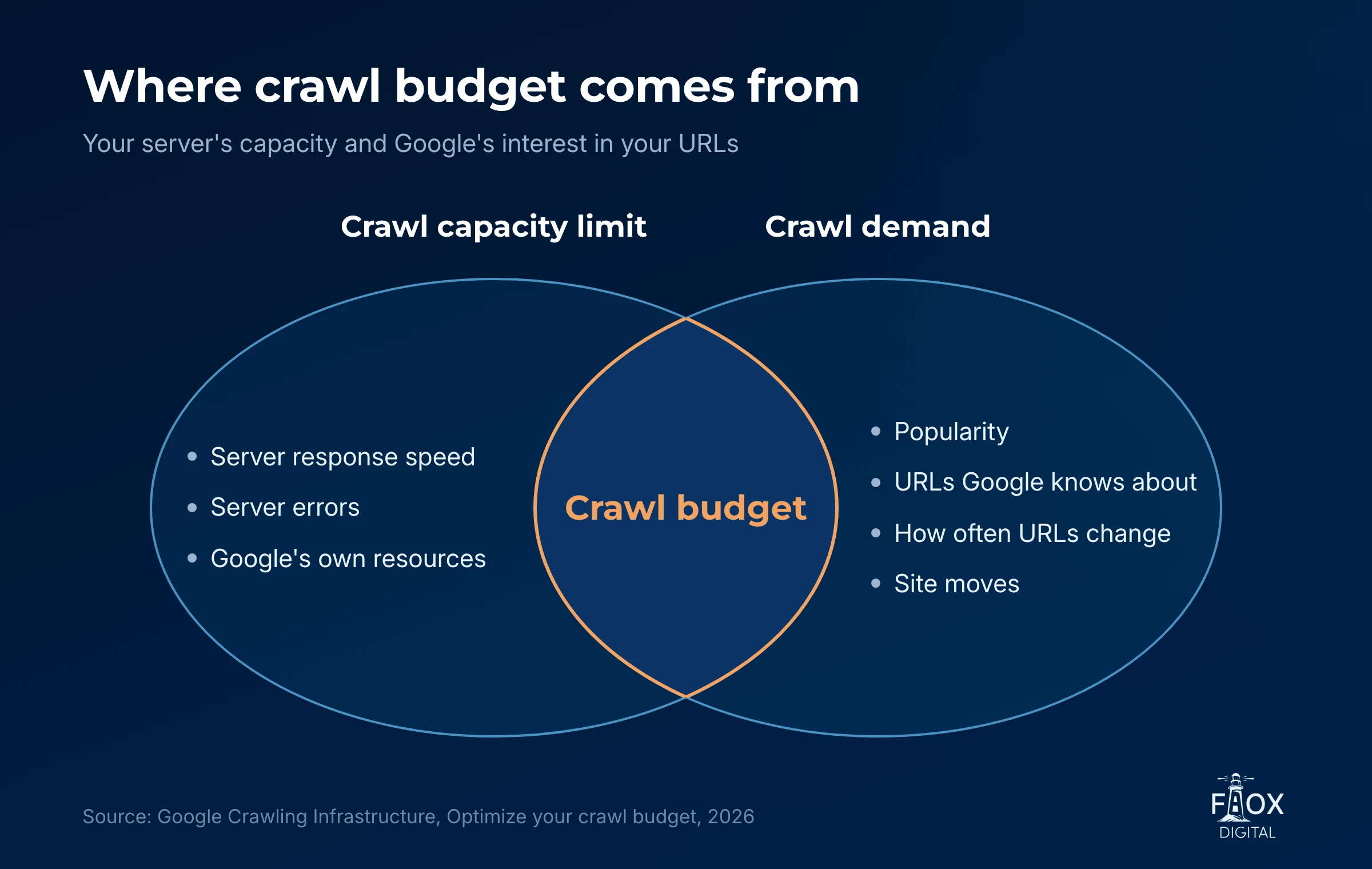
The capacity side links crawling to speed. A server that slows down under load gets crawled less, so the causes behind slow pages are worth finding; our guide to slow website causes explains how. The demand side links crawling to content: pages that are useful, linked and kept up to date get recrawled more often.
When crawl budget matters for a B2B site
Google writes its crawl budget guidance for sites with more than a million unique pages that change weekly, or more than 10,000 pages that change daily. Many B2B sites are far smaller, and for them Google says a current sitemap and a regular look at the Page indexing report are enough. Size alone is rarely the problem; wasted crawls are. For how B2B search differs more broadly, see what B2B SEO is.
Two kinds of B2B site do need to watch their crawling. Product catalogs with filters can turn a few hundred products into thousands of URLs, and Google warns that crawlers often fetch many such URLs before recognizing them as useless, which delays the discovery of new pages. Multilingual sites multiply every URL by the number of languages, and Googlebot crawls mainly from US IP addresses without an Accept-Language header, so automatic redirects by country or language can hide whole versions.
| Crawl trap | What happens | Fix |
|---|---|---|
| Filter pages in the product catalog | Crawlers fetch many near-identical URLs and find new pages later | Block filter URLs you do not need indexed in robots.txt, or move filters into URL fragments after a # |
| Sort, session and tracking URL parameters | The same page is crawled under many URLs | Link to clean URLs; avoid session IDs in URLs |
| Empty filter results | Pages without products waste crawls as soft 404s | Return 404 when a filter combination has no results |
| Discontinued products | Old URLs keep being recrawled | Return 404 or 410, or redirect to a close replacement |
| Redirects by visitor language or country | Googlebot may never reach other versions | Give each language its own URL and connect versions with hreflang |
| Long redirect chains | Every hop costs another request | Redirect straight to the final URL |
If you do want some filter pages indexed, such as a category filtered by material that people really search for, Google recommends the standard & separator, a fixed filter order and no duplicate filters in the URL.
XML sitemaps and sitemap index files
An XML sitemap lists the URLs you want Google to find, with the date each one last changed. It is a hint, not an order: Google says a sitemap does not ensure that every listed URL will be crawled and indexed. Large sites, new sites with few external links and sites with a lot of video or images benefit most. A site of about 500 pages or fewer that is well linked internally may not need one.
Good sitemaps follow a few rules:
- List only canonical URLs that return 200 and that you want in search results.
- Keep each file under 50,000 URLs and 50 MB uncompressed.
- Set
lastmodto the last significant change to the main text, structured data or links. Google uses it only when it consistently matches reality, and it ignoreschangefreqandpriority. - For multilingual sites, the sitemap can also carry hreflang annotations for each page’s language versions.
A sitemap index file lists other sitemaps, up to 50,000 of them, and you can submit up to 500 index files per site in Search Console. Splitting sitemaps by page type and language, for example products, categories and articles for each language, makes problems easier to isolate. The listed sitemaps must sit in the same directory as the index file or below it.
Submit your sitemaps in the Sitemaps report in Search Console, and also list them on a Sitemap: line in robots.txt. The old sitemap ping endpoint no longer works: Google announced its retirement in June 2023.
Robots.txt: what it controls and what it does not
robots.txt is a plain text file at the root of each host, such as https://www.example.com/robots.txt. Its rules apply only to that host, protocol and port, so every subdomain needs its own file. Google supports four fields: user-agent, allow, disallow and sitemap. It ignores crawl-delay.
The rules behave in ways that surprise people:
- Paths are case sensitive:
Disallow: /Catalog/does not block/catalog/. - Wildcards work:
Disallow: /*sort=blocks every URL that contains a sort parameter. - A
$marks the end of a URL:Disallow: /*.pdf$blocks URLs that end in .pdf. - When an allow and a disallow rule both match, the longer, more specific path wins; if they are equally specific, Google uses the less restrictive rule.
- A crawler follows only the one group that names it most specifically. A group for
Googlebotreplaces the general group for that crawler; it does not add to it.
Google reads only the first 500 KiB of the file. If robots.txt returns a 4xx error other than 429, Google crawls as if there were no restrictions. If it returns a server error, Google stops crawling the site for the first 12 hours, then relies on its last cached copy for up to 30 days.
Disallow and noindex do different jobs. A Disallow rule stops crawling, but the URL can still be indexed without its content if other pages link to it. A noindex rule keeps a page out of results, but Google has to crawl the page to see it, so it saves no crawl budget: Google still requests the page and then drops it. Use robots.txt for URLs that should not be crawled at all, noindex for pages that may be crawled but should not appear, and never both on the same URL.
AI crawlers in robots.txt
Whether to allow AI crawlers is a business decision; here we only cover how to express it. Each AI company publishes the robots.txt tokens its crawlers obey. OpenAI uses GPTBot for training and OAI-SearchBot for ChatGPT search; Anthropic uses ClaudeBot for training and Claude-SearchBot for search. A group such as User-agent: GPTBot followed by Disallow: / blocks OpenAI’s training crawler but leaves OAI-SearchBot alone.
Three details trip sites up. User-triggered fetchers such as ChatGPT-User may not follow robots.txt rules. Anthropic supports crawl-delay, which Google ignores. And every subdomain needs its own rules.
Google needs no separate entry for AI search. AI Overviews and AI Mode rely on normal Googlebot crawling, and the Google-Extended token controls only the use of content for Gemini training and grounding, without affecting Google Search. Excluding a site from these features is not done in robots.txt either. Google’s control is the Search generative AI setting in Search Console, under Settings, available to all sites since August 31, 2026; sites are included by default. How Google picks sources for Google AI Overviews is the subject of its own article.
How to check and optimize crawl budget
The Crawl Stats report in Search Console shows how Google crawls your site: total requests, download size, average response time, and breakdowns by response code, file type, purpose (discovery of new URLs or refresh of known ones) and Googlebot type. Its host status flags problems with robots.txt fetching, DNS and server connectivity over the past 90 days. It is available only for root-level properties, such as a Domain property.
Server logs go further, because they record every URL each crawler requests. They show how many crawls land on filter and parameter URLs instead of products, which important pages Google rarely visits and where errors occur. Verify that requests claiming to be Googlebot are genuine with a reverse DNS lookup or Google’s published IP ranges.
To optimize crawl budget, work through this order:
- Find where the crawls go. Compare Crawl Stats and server logs with the list of pages that matter.
- Close the crawl traps. Block unneeded filter, sort and search URLs in robots.txt.
- Return the right status codes. Use 404 or 410 for removed pages and fix soft 404s.
- Keep sitemaps current. List only canonical URLs and keep
lastmodhonest. - Shorten redirect chains so each old URL points straight to its target.
- Keep the server fast and stable, and use HTTP caching, so capacity can grow.
- Link to important pages from the navigation and related content, which is also part of building topical authority.
Google names two ways to raise crawl budget: more server resources and better content. There is no setting to increase it, and Google does not take requests for a higher crawl rate. If Googlebot ever overloads your server, return 500, 503 or 429 responses for a few hours or a day or two at most; longer than that, and URLs can drop out of the index.
Crawling is only the first gate. When Google crawls a page but still does not show it, the next question is why, which our guide to pages Google won’t index answers.
How Faox Digital handles crawler access
Faox Digital, a digital growth partner for B2B companies selling in complex and international markets, treats crawler access as part of the foundations step of an SEO project, alongside site architecture, speed and structured data. That step comes after an audit of what the site ranks for, what buyers search and whether AI tools can read the site, and you see the priorities and the reasons before any work begins.
Key takeaways
- Googlebot finds URLs through links and sitemaps and crawls as fast as your server stays healthy.
- Crawl budget is a real limit mainly for large or fast-changing sites; on most B2B sites, crawl traps matter more than the budget.
- Use robots.txt to stop crawling of filter, sort and search URLs, and
noindexto keep crawlable pages out of results; never both on one URL. - Keep sitemaps to canonical URLs with honest
lastmoddates, group them in a sitemap index and submit them in Search Console. - Check the Crawl Stats report and server logs to see where Google’s crawls actually go.
Frequently asked questions
How can I check my crawl budget?
Open the Crawl Stats report in Search Console for a Domain property or root-level property. It shows how many requests Google makes, how fast your server responds and which responses it gets. Server logs show which URLs those requests hit.
How do I increase my crawl budget?
Google names two levers: more server capacity and more valuable content. In practice, that means a fast, stable server, fewer wasted URLs, correct status codes, current sitemaps and strong internal links to the pages that matter.
Can I calculate or set my crawl budget?
No. Google sets it from your server’s capacity and its demand for your URLs, so there is no formula or setting to raise it. You can see the result in Crawl Stats and compare it with the number of URLs you want crawled.
How do I fix crawl budget problems?
Find where crawls are wasted, usually on filters, parameters, redirects or error pages, then block or clean up those URLs, return correct status codes and keep sitemaps to canonical pages. Recheck Crawl Stats and logs after a few weeks.
Sources
- Google Crawling Infrastructure: Optimize your crawl budget, 2026
- Search Console Help: Crawl Stats report, accessed November 2026
- OpenAI: Overview of OpenAI crawlers, accessed November 2026
- Anthropic: Does Anthropic crawl data from the web?, accessed November 2026
Let’s talk
Where do you want to be found?
Tell us the searches that matter to your business. We will review your site and tell you plainly what to fix first, including what you can do yourself.