
Email Deliverability: Why B2B Emails Land in Spam and How to Fix It
What decides whether your B2B emails reach the inbox, what Gmail, Yahoo and Microsoft require at the time of writing, and the steps that improve deliverability.
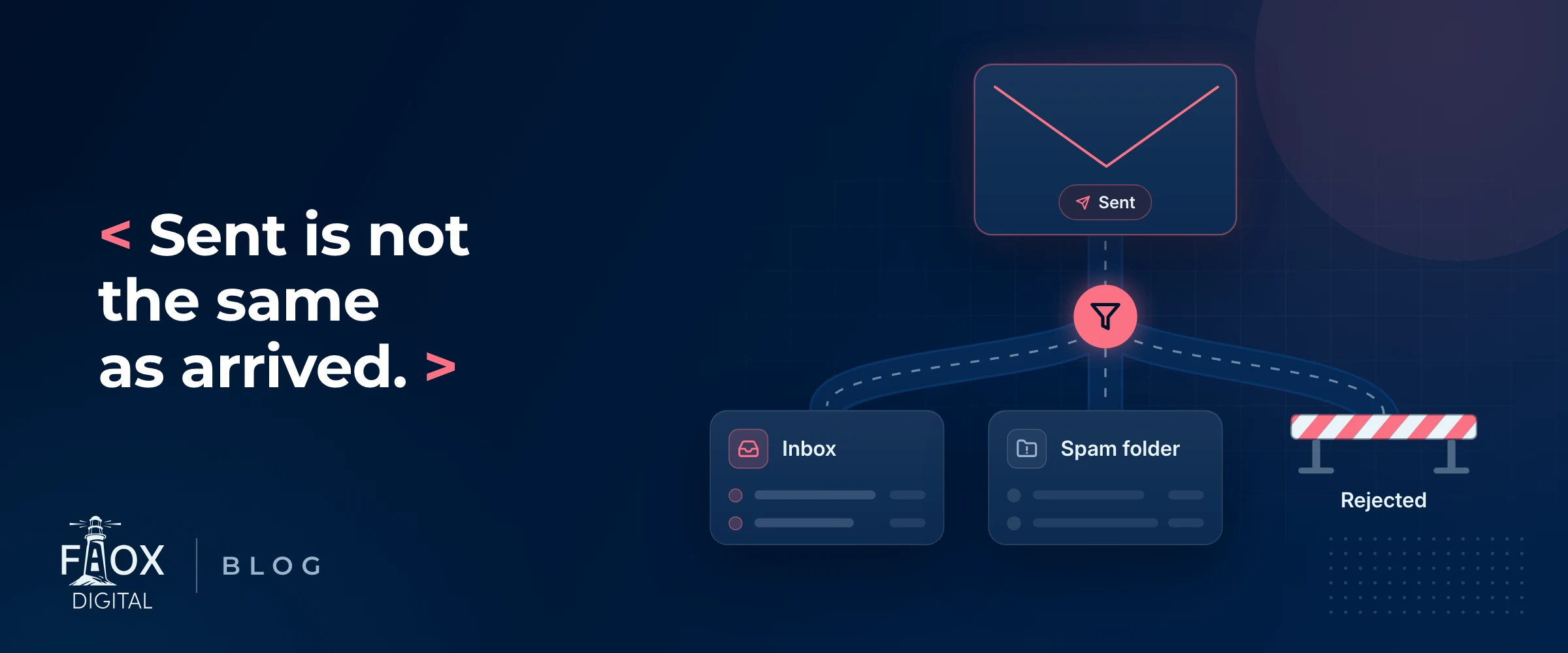
Email deliverability is whether your emails reach the inbox rather than the spam folder or a rejection. B2B emails usually land in spam because the sending domain is not properly authenticated with SPF, DKIM and DMARC, because the list holds old, bought or unengaged addresses, or because recipients mark the messages as spam. To reach the inbox regularly, authenticate your domain, meet the Gmail, Yahoo and Microsoft sender rules, keep the list clean, send emails people want and watch bounces and complaints; nobody can guarantee inbox placement.
An email that leaves your system has not necessarily arrived. It may be rejected, filed in the spam folder or held by a customer’s company filter, and the sender rarely finds out. For a B2B company the cost is hidden but real: a quote follow-up nobody sees, a newsletter that reaches a fraction of the list, and sometimes sales emails from the same domain that start to suffer too.
This guide explains what email deliverability is, why B2B emails go to spam, what the large mailbox providers require at the time of writing (November 2026) and how to check and improve your own results. It opens our series on deliverability and reporting; you can find all Email & CRM articles on the category page.
What is email deliverability?
Email deliverability is the share of your emails that reach the inbox. It is different from delivery: an email is delivered when the receiving server accepts it, but it may still end up in the spam folder, where most people never look. A rejected email bounces back with an error.
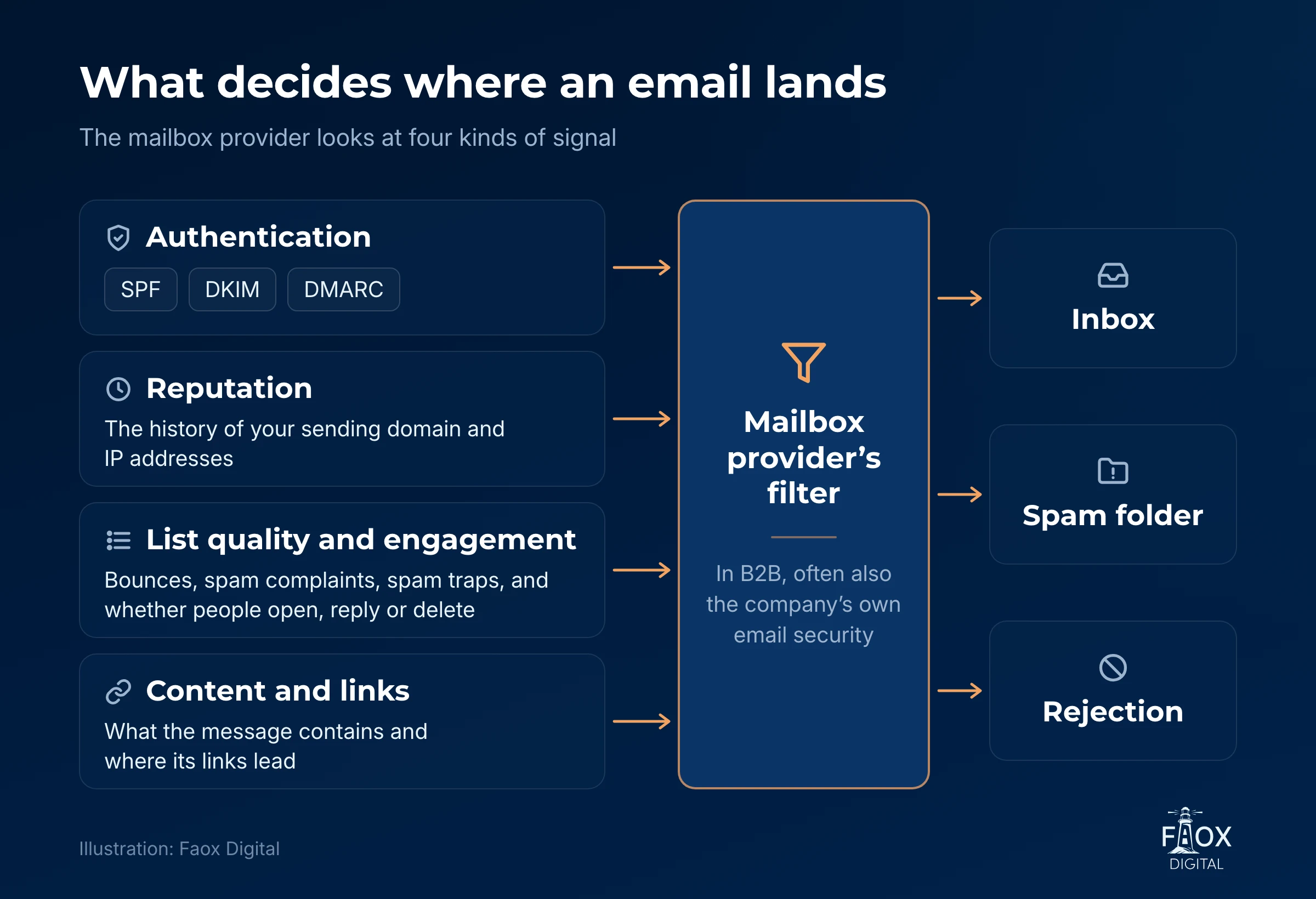
Where an email lands is decided by the mailbox provider, such as Gmail, Yahoo or Outlook.com, and in B2B often also by the company’s own email security. They look at four kinds of signal:
- Authentication: whether the email can prove it really comes from your domain
- Reputation: the history of your sending domain and IP addresses
- List quality and engagement: bounces, spam complaints, spam traps, and whether people open, reply or delete
- Content and links: what the message contains and where its links lead
Deliverability is the foundation of email marketing for B2B: segmentation, content and automation only matter if the emails arrive.
Why B2B emails go to spam
When B2B emails go to spam instead of the inbox, the cause is usually one of these:
| Cause | What the provider sees | Fix |
|---|---|---|
| Missing or broken authentication | The email cannot prove it comes from your domain | Set up SPF, DKIM and DMARC, aligned with the From address |
| A bought or very old list | Many bounces, spam traps and complaints | Remove the list; email only people who agreed |
| Contacts who never engage | Messages ignored or deleted unread | Segment by engagement; re-engage or remove inactive contacts |
| No easy way to unsubscribe | People press "report spam" instead | Add one-click unsubscribe and a visible link |
| A sudden jump in volume | A new or quiet sender behaving like a spammer | Increase volume gradually |
| Misleading content or hidden links | Messages that look like phishing | Clear links, honest subject lines, no hidden content |
Most of these are list and permission problems rather than technical ones. Authentication gets you through the door; the way you build and treat your list decides whether you stay welcome.
Authentication: SPF, DKIM and DMARC
Authentication proves that an email really comes from your domain. Three records in your domain’s DNS do the work:
- SPF (Sender Policy Framework) lists the servers allowed to send email for your domain.
- DKIM (DomainKeys Identified Mail) adds a digital signature that shows the message was not changed on the way.
- DMARC (Domain-based Message Authentication, Reporting and Conformance) tells receivers what to do when SPF or DKIM fails and sends you reports on who is sending as your domain.
The detail that trips up many companies is alignment: the domain in the From address must match the domain that passes SPF or DKIM. An email tool that signs with its own domain can pass DKIM and still fail DMARC for yours. Check that every service sending in your name, from the email marketing tool to the CRM and the invoicing system, is set up for your domain. Our guide to email authentication records explains how to set them up.
Google, Yahoo and Microsoft bulk sender rules
The largest mailbox providers now publish requirements. At the time of writing (November 2026), their main bulk sender rules are:
| Requirement | Gmail | Yahoo | Outlook.com |
|---|---|---|---|
| Who it applies to | All senders; stricter rules from 5,000 messages a day to Gmail accounts | All senders; stricter rules for bulk senders | Domains sending more than 5,000 emails a day |
| Authentication | SPF or DKIM for all; SPF, DKIM and DMARC for bulk senders | SPF or DKIM for all; SPF, DKIM and DMARC (at least p=none) for bulk senders | SPF, DKIM and DMARC (at least p=none) |
| Alignment | From domain aligned with the SPF or DKIM domain | The same; relaxed alignment is acceptable | DMARC aligned with SPF or DKIM |
| Unsubscribing | One-click unsubscribe and a visible link in marketing messages | One-click unsubscribe, a visible link, unsubscribes honored within 2 days | Not part of the requirement |
| Spam complaints | Below 0.3% for all senders | Below 0.3% | Not stated |
| Other | Valid forward and reverse DNS, TLS, standard message format | Valid forward and reverse DNS, standard message format | Not stated |
Gmail adds a stricter target: its guidelines ask senders to keep the spam rate shown in Postmaster Tools below 0.10% and never to reach 0.30%. Gmail and Yahoo began enforcing their rules in February 2024, and Gmail’s FAQ says it has been ramping up enforcement since November 2025, with temporary and permanent rejections for messages that do not comply. Microsoft announced its requirements in April 2025, with enforcement from May 2025; non-compliant messages can be routed to junk or rejected.
Even if you send far fewer than 5,000 emails a day, follow the bulk sender rules. They describe what every provider expects, and B2B lists can cross the threshold during a single campaign. Providers change these rules, so check their pages before relying on any detail.
Sender reputation and domain reputation
Sender reputation is the history providers build about you from your sending behavior: how many of your emails bounce, how many people complain, whether you hit spam traps and how recipients react. It attaches to your sending IP addresses and, more and more, to your domain. Domain reputation travels with you when you change email tools, which is why a bad campaign from one tool can affect emails sent from another.
A few habits protect it:
- Increase volume gradually when a domain or sending service is new, or after a long quiet period.
- Keep message types apart. Gmail’s guidelines recommend the same From address for messages of the same category, and different IP addresses for different types of message where you send from several.
- Consider a subdomain for marketing email, such as news.example.com, with its own authentication, so that campaign problems do not reach your salespeople’s everyday email.
Most email marketing tools send from shared IP addresses, used by many of their customers at once. A dedicated IP address gives you a reputation of your own, but it needs steady volume to build one. For most B2B senders, a shared IP from a well-run email tool is the practical choice, and the domain’s reputation matters more.
Gmail’s Postmaster Tools shows the spam rate for your domain and, in its newer version, whether you meet Gmail’s sender requirements. Google says its older Domain and IP Reputation dashboards will be retired and replaced, partly because reputation is only one of many factors that affect deliverability.
Bounces, complaints and spam traps
Three signals do the most damage, and all three come from the list.
A bounce is an email the receiving server rejects. A hard bounce means the address does not exist, so remove it at once; Gmail’s guidelines recommend automatically unsubscribing recipients whose messages bounce repeatedly. A soft bounce, such as a full mailbox, can be retried, but a contact that keeps bouncing should go too.
The complaint rate is the share of recipients who mark your email as spam. It is the signal providers weigh most heavily, which is why Gmail and Yahoo set limits on it. Complaints usually come from people who do not remember signing up, receive emails that do not concern them or cannot find how to leave.
A spam trap is an address used by mailbox providers and blocklist operators to catch careless senders. Spamhaus, which runs widely used blocklists, describes several kinds: addresses never given to anyone, typo domains, and dead addresses that rejected all mail for a period, often 12 months or more, before being turned back on as traps. Old lists are full of the last kind. Spamhaus advises treating a trap hit as proof of a data collection or hygiene problem rather than hunting for the trap addresses.
Blocklists
Blocklists are databases of IP addresses and domains linked to spam, which many mail servers consult before accepting a message. Spamhaus is one of the best-known operators. Hitting spam traps, a burst of complaints or a hacked account can get a sending IP address or domain listed, and whole companies may then stop receiving your email.
If you suspect a listing, check your sending IP addresses and domain on the operators’ lookup pages, find and fix the cause first, and then follow the operator’s removal process. A removal request without a fix usually leads to the next listing.
List quality and engagement
List quality decides most of the above. A good B2B list contains people who agreed to hear from you, whose addresses still work and who still care about what you send. Build it from your own sources, such as customers, trade fair contacts, website forms and webinars, and never buy one.
Engagement is how recipients react. Gmail’s guidelines suggest confirming each recipient’s address before subscribing them, periodically checking that recipients want to stay subscribed and considering unsubscribing those who do not open or read your messages. In practice:
- Send relevant emails to the right people, so that they keep reading; our email segmentation guide shows how.
- Separate engaged from inactive contacts, and send inactive ones a short re-engagement email before removing them.
- Make leaving easy, with one-click unsubscribe in the email header, defined in the RFC 8058 standard (2017), and a visible link in the footer.
Content and links
Content matters less than reputation, but it can tip a borderline email into spam. Gmail’s guidelines say links in the message body should be visible and easy to understand, so that recipients know what to expect when they click, and warn that hiding content with HTML and CSS can get messages marked as spam. Good practice for content and links:
- An honest subject line that matches the content
- Real text, not a message built only from images
- Links to your own domain, with link text that says where they go
- Documents as links to your website rather than heavy attachments
- A recognizable sender name and a From address that can receive replies
B2B specifics: corporate email filters
Many B2B recipients use company email on Microsoft 365, Google Workspace or behind a separate security gateway, and their IT teams add their own rules. An email that reaches personal Gmail accounts may still be quarantined at a customer’s company. A few habits help:
- Keep authentication complete, because corporate filters check it too.
- Send from a consistent domain and sender, so that regular contacts learn to recognize you.
- Ask important contacts to add your sending address to their safe senders if your emails go missing.
- Test with colleagues and friendly customers on different company systems before an important send.
How to check your email deliverability
No single number shows deliverability. Combine these sources:
- Bounces and complaints in your email marketing tool, after every send
- Postmaster Tools for Gmail, with your spam rate and compliance status
- DMARC reports, which show every server sending as your domain and whether it passes
- Clicks and replies by mailbox provider: a sudden drop at one provider points to a problem there
- Test sends to accounts at Gmail, Outlook and your own company system before important campaigns
Opens are a weak guide, because privacy features in email apps distort them; our article on the email open rate explains why. In the end, what matters is whether emails lead to conversations: tag links in your emails and follow them through to enquiries, as described in our guide to tracking quote requests in GA4.
How to improve email deliverability
- Authenticate every sending service with SPF, DKIM and DMARC, aligned with your From domain, starting DMARC at p=none and reading the reports.
- Check the basics with your email provider: valid forward and reverse DNS and encrypted (TLS) connections.
- Add one-click unsubscribe and a visible unsubscribe link, and honor requests within two days.
- Clean the list: remove hard bounces, repeated soft bounces, bought addresses and contacts with no engagement for a long time.
- Confirm new subscribers and record where each contact came from.
- Segment by engagement, sending your main emails to engaged contacts and a re-engagement email to the rest.
- Increase volume gradually on a new domain or sending service.
- Monitor every send: bounces, complaints, Postmaster Tools and DMARC reports.
- Pause and investigate when the spam rate or bounces rise, before sending again.
No one can guarantee inbox placement: Gmail, Yahoo, Microsoft and company filters decide where each message lands. These steps make it more likely, and they show you quickly when something goes wrong.
When to get help
Get outside help when emails suddenly go to spam across providers, when your domain appears on a blocklist, when DMARC reports show services you do not recognize sending as your domain, or when nobody inside has the time to set up authentication properly. Our article on when to hire an email deliverability consultant explains what a deliverability audit should cover.
How Faox Digital approaches email deliverability
Faox Digital starts deliverability work with an audit that cleans the list, the CRM and past sends, removing dead and duplicate contacts, and then keeps each program sending on a steady rhythm with healthy deliverability. The work happens in the client’s own tools, and results are read in replies, qualified conversations and pipeline.
Key takeaways
- Email deliverability is whether emails reach the inbox, not just whether they leave your system.
- Authenticate every sending service with SPF, DKIM and DMARC, aligned with your From domain.
- Follow the Gmail, Yahoo and Microsoft sender rules even below 5,000 emails a day, and check them on their pages.
- Bounces, complaints and spam traps come from the list: build it with permission, clean it and segment by engagement.
- Monitor every send, pause when signals worsen, and remember that nobody can guarantee inbox placement.
Frequently asked questions
What is email deliverability?
Email deliverability is the ability of your emails to reach the recipient’s inbox rather than the spam folder or a rejection. It depends on authentication, the reputation of your sending domain, the quality of your list, how recipients engage and the content of your messages.
Why are my emails going to spam instead of the inbox?
The usual causes are missing or misaligned SPF, DKIM and DMARC records, a list with old or bought addresses, recipients who never engage or mark messages as spam, a sudden increase in volume and content that looks misleading. Check authentication first, then your bounces and complaints.
How do you check email deliverability?
Look at bounces and complaints after every send, your spam rate and compliance status in Google’s Postmaster Tools, your DMARC reports and clicks and replies by mailbox provider. Test sends to Gmail, Outlook and company accounts before important campaigns show where problems start.
How can I improve email deliverability?
Authenticate your domain with SPF, DKIM and DMARC, add one-click unsubscribe, remove bounced and inactive contacts, never buy lists, send relevant emails to engaged segments and increase volume gradually. Monitor every send and pause when complaints or bounces rise.
Sources
- Gmail Help: Email sender guidelines, accessed November 2026
- Yahoo Sender Hub: Sender Requirements and Recommendations, accessed November 2026
- Microsoft Defender XDR Blog: Strengthening Email Ecosystem, Outlook’s New Requirements for High-Volume Senders, April 2025
- Spamhaus: Spamtraps, fix the problem, not the symptom, February 2022
Let’s talk
Have contacts you never follow up with?
Tell us about the list you already have. We will show you how email and CRM can turn it into conversations.