
Content Calendar for Social Media: A B2B Template and How to Use It
The fields a B2B social media calendar needs, a template you can copy, and the monthly routine that turns a strategy into posts people approve on time.
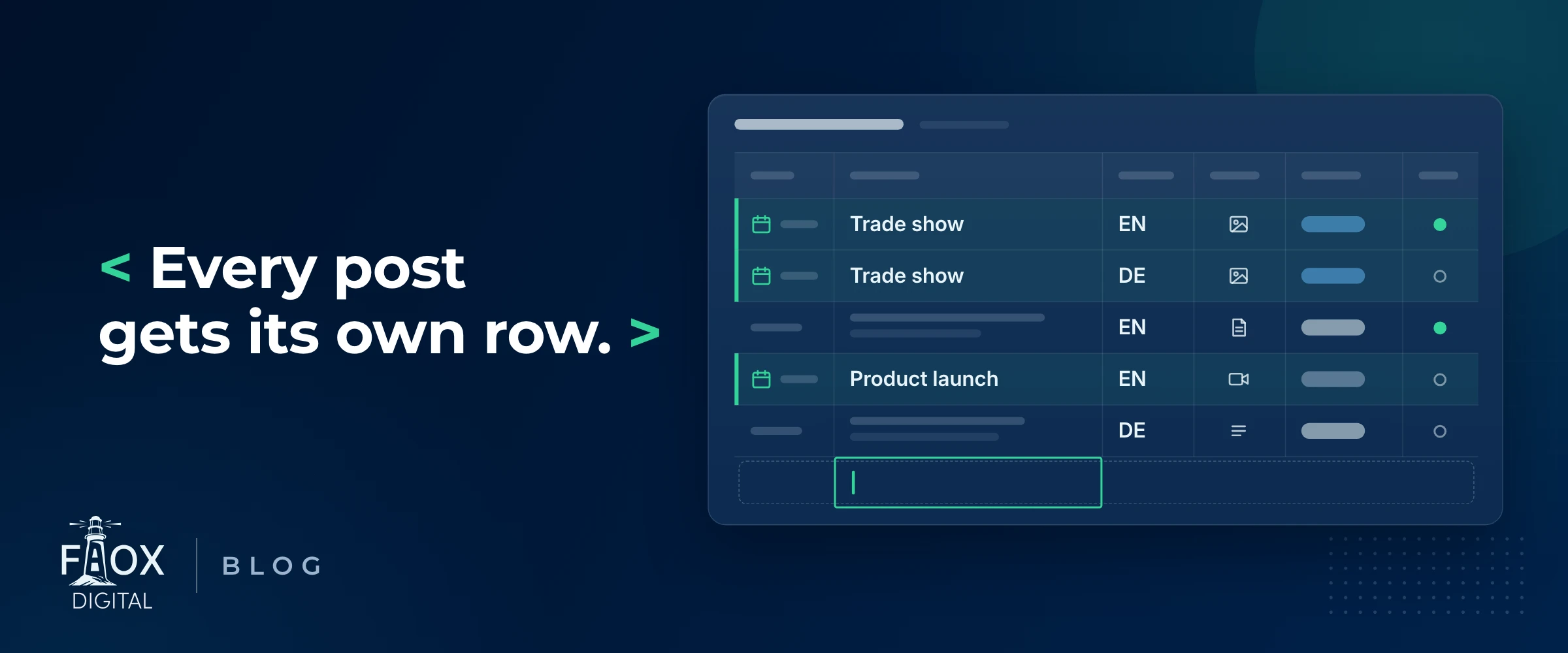
A content calendar for social media is the dated plan of every post: when it goes out, on which channel and in which language, which content pillar and format it uses, who writes, checks and approves it, and where it sends readers. A B2B company fills it once a month, starting from fixed dates such as trade fairs and product launches, then adds posts from each pillar at a rhythm the team can keep, and approves the whole month before anything goes live.
A social media strategy decides what to say and where. The calendar decides when, who and in what form, and that is where many B2B plans stall: the engineer who should check a post is travelling, the trade fair posts are written the night before, and the German version never appears. This guide gives you a template to copy into Google Sheets or Excel, explains each field and sets out a monthly routine. It assumes you have already done the groundwork of building a social media strategy. The blog’s publishing calendar is a separate plan, and the examples here come from a hypothetical pump maker.
Content calendar template: the fields and an example
Copy these fields into the first row of a spreadsheet. The example column shows one post from the hypothetical pump maker; every detail in it is invented.
| Field | What to enter | Example |
|---|---|---|
| Date and time | Publishing day and time, in the market’s time zone | Tuesday of week 2, 15:00 CET |
| Channel | Where it is published | LinkedIn Page |
| Language and market | One row per language version | German, for Germany and Austria |
| Content pillar | One of your three to five themes | Applications and know-how |
| Topic and angle | The single point of the post | Three signs that a dosing pump is running dry |
| Content type | The format | Document post with five slides |
| Copy | A link to the draft text | Shared draft, version 2 |
| Visual | Image, video or document needed, and who makes it | Five slides from the design team |
| Link | Where the post sends readers | The application page for dosing pumps |
| Owner | Who writes and publishes it | Marketing manager |
| Expert check | Who confirms the technical content | Application engineer |
| Status | Idea, drafted, checked, approved, scheduled, published | Approved |
| Reuse | Where the content came from, or where it goes next | From the March webinar; a short video in April |
| Result | Filled in after a week | Impressions, comments, clicks |
A Google Sheets and Excel template: how to set it up
A spreadsheet is enough for most B2B teams, and it keeps the plan where everyone can see it. Four features do most of the work:
- Dropdowns for channel, language, pillar, content type and status keep the entries consistent. Google Sheets offers dropdowns through Insert or Data validation, including preset ones for status and priority; Excel uses Data Validation, and Microsoft suggests keeping the list items in a table so the dropdowns update when the list changes.
- Conditional formatting colours each row by status, so posts waiting for approval stand out.
- Filters show one channel, one language or one owner at a time.
- A separate tab for fixed dates holds the year’s trade fairs, launches, holidays and industry days, so they feed every month’s plan.
Store the file where marketing, the experts and the approvers can all open it, and keep the drafts linked from it rather than pasted into cells.
Content pillars and the monthly mix
Content pillars are the three to five themes you return to every month, such as applications and know-how, proof and capability, your point of view, and people and culture. Plan the month by pillar before you plan by date: decide how many posts each pillar gets, then place them. For the pump maker, a month of eight Page posts might hold three application posts, two proof posts (a test result and a customer installation, with permission), two point-of-view posts from engineers and one from the factory floor.
Vary the content types within each pillar: text posts, images, short videos, document posts, polls and newsletter articles. A calendar that shows the same format every week is easy to spot, and easy to scroll past.
Posting frequency and publishing days
Choose a posting frequency you can keep for a year, then raise it only while quality holds; our strategy guide suggests two or three Page posts a week plus a weekly post from each expert as a starting point. Write the rhythm into the calendar as empty slots, so a missing post is visible.
Publishing days matter less than a steady rhythm, and studies of timing shift. Buffer’s analysis of 4.8 million LinkedIn posts published through its tool, released in September 2026, found the most engagement between 3 p.m. and 8 p.m. on weekdays, with Wednesday strongest and Monday and Tuesday weakest, whereas its 2025 data had put the peak within working hours. Buffer sells scheduling software and its users are not a B2B sample, so use this as a first guess and check your own analytics after two or three months. Meta Business Suite suggests active times for your own audience when you schedule.
Scheduling helps. LinkedIn Help says a Page’s super and content admins can schedule posts from an hour to three months ahead, but not events, polls, reshares, posts with multiple photos, jobs or service posts, so mark those in the calendar for manual publishing.
A channel plan: one calendar, different jobs
A channel plan gives each channel its own rows and its own job. The same topic can appear on LinkedIn as a document post, on YouTube as a two-minute video and in an engineer’s personal post as a short story from a site visit, but each version is written for its channel. Do not copy one text to every platform: formats, lengths and audiences differ, and identical posts on the same day look automated.
Experts’ personal posts belong in the calendar too, as suggestions rather than orders. Give each expert a topic, a draft or a few questions, and a date, and record what they publish.
Trade shows, events and product launches
Fixed dates come first, because they cannot move. Put the year’s trade show and event calendar on its own tab and plan each event as a sequence:
- Four to six weeks before: where to find you, what you will show, and an invitation to book a meeting.
- During the event: short posts from the stand, talks and demonstrations, published the same day.
- After the event: a summary, the questions visitors asked, and follow-up content for the people you met.
Product launches follow a similar arc: the problem the product solves, then the product, then proof such as test data or a first installation, then availability by market. Agree the dates with sales, PR and email, so every channel tells the same story in the same week; this is where the calendar meets your wider B2B marketing strategy.
Multilingual publishing
Multilingual publishing works best with one row per language version, each with its own owner, reviewer and status, so a missing translation shows up as an empty cell, not as silence. Write for each market rather than translating word for word, and give every language a native-speaking reviewer.
On a single LinkedIn Page, targeted posts can reach followers by language preference, location, industry, function, seniority and company size. LinkedIn Help says a targeted post must target at least 300 Page followers and that employees cannot be notified of it, so check your follower numbers per language before you plan targeted versions. Add each market’s holidays and trade fairs to the fixed-dates tab.
Content reuse: plan the second life of each piece
Content reuse saves more time than any scheduling tool. Most B2B companies already produce material worth posting: webinars, trade fair talks, application notes, test reports, answers sales gives every week. Use the reuse column to plan each source into several posts over the following weeks, such as a short clip, a slide summary and an engineer’s comment. Space them out, write each for its channel and link back to the full piece.
Owners and the monthly approval process
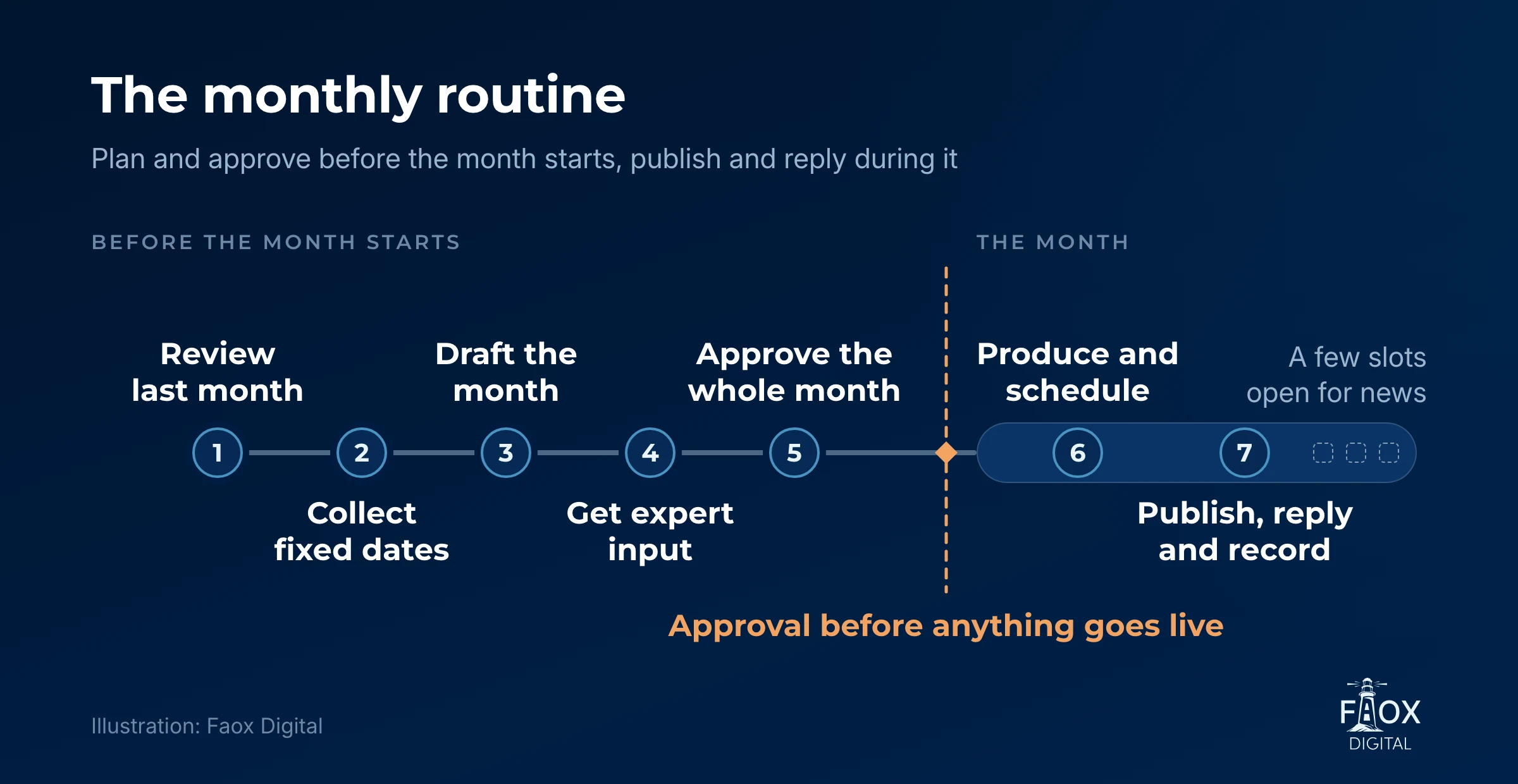
Name the owners in the calendar: who plans the month, who writes, who designs, which expert checks technical claims, who approves, who publishes and who answers comments. One person can hold several roles; every role needs a name. Then run the same monthly approval process each month:
- Review last month. Look at results and at what was published late or not at all.
- Collect fixed dates. Trade fairs, launches, holidays and news you already know about.
- Draft the month. Place posts by pillar, channel and language, with an owner for each.
- Get expert input. Agree topics and facts with the engineers before the writing starts.
- Approve the whole month. One review of the plan before the month begins, not a new approval for every post.
- Produce and schedule. Write, design and schedule, keeping a few slots open for news.
- Publish, reply and record. Answer comments, note results and carry lessons into next month.
Approval of the month speeds things up because reviewers judge the plan once. Technical or legal claims may still need a check on the final text; mark those posts in the calendar so nobody is surprised.
Before the month goes live
- Every fixed date for the month has its posts
- Each pillar has posts, in a mix of formats
- Every row has a channel, language, owner and status
- Expert checks are booked for technical posts
- Each language version has a native-speaking reviewer
- Posts that cannot be scheduled are marked for manual publishing
- A few slots are left open for news
What to read next
The calendar only works if the channels and the content behind it are right. Our guides to choosing your social channels and to what B2B companies can post cover those decisions, and our article on using Instagram in B2B explains when a visual channel earns a place in the plan.
If you want to see how a structured calendar works in practice across several languages, read a real B2B strategy example from a manufacturer that grew without ads.
Frequently asked questions
How do I make a social media plan for my business?
Start with the strategy: the goal, the buyer roles you need to reach, your channels and three to five content pillars. Then turn it into a monthly calendar with dates, formats, owners and an approval step, and review the results each month.
How do you do social media planning each month?
Review last month, collect the fixed dates, draft the posts by pillar, channel and language, get expert input, approve the whole month, then produce and schedule the posts while leaving room for news.
Is there a free content calendar template?
Yes. Copy the fields in the template above into Google Sheets or Excel, add dropdowns for channel, language, pillar and status, and a separate tab for the year’s fixed dates. That is enough for most B2B teams before any paid tool.
How far ahead should a B2B company plan social media posts?
Plan each month in detail before it starts, keep the next quarter in outline and put trade fairs and launches on the calendar as soon as their dates are known. LinkedIn lets a Page’s super and content admins schedule posts up to three months ahead.
Sources
- LinkedIn Help: Scheduled posts for LinkedIn Pages, accessed November 2026
- Buffer: The best time to post on LinkedIn in 2026, 4.8 million posts analyzed, 2026
- Google Docs Editors Help: Create an in-cell dropdown list, accessed November 2026
- Microsoft Support: Create a drop-down list, accessed November 2026
Let’s talk
Want social media that reaches the right people?
Tell us who you want to reach. We will look at your channels and suggest a plan your team can keep up with.