
B2B Segmentation Criteria: Examples by Industry, Role and Stage
The criteria B2B companies use to segment email lists and CRM contacts, with an example for each, a follow-up sequence that combines them and the CRM fields that make them work.
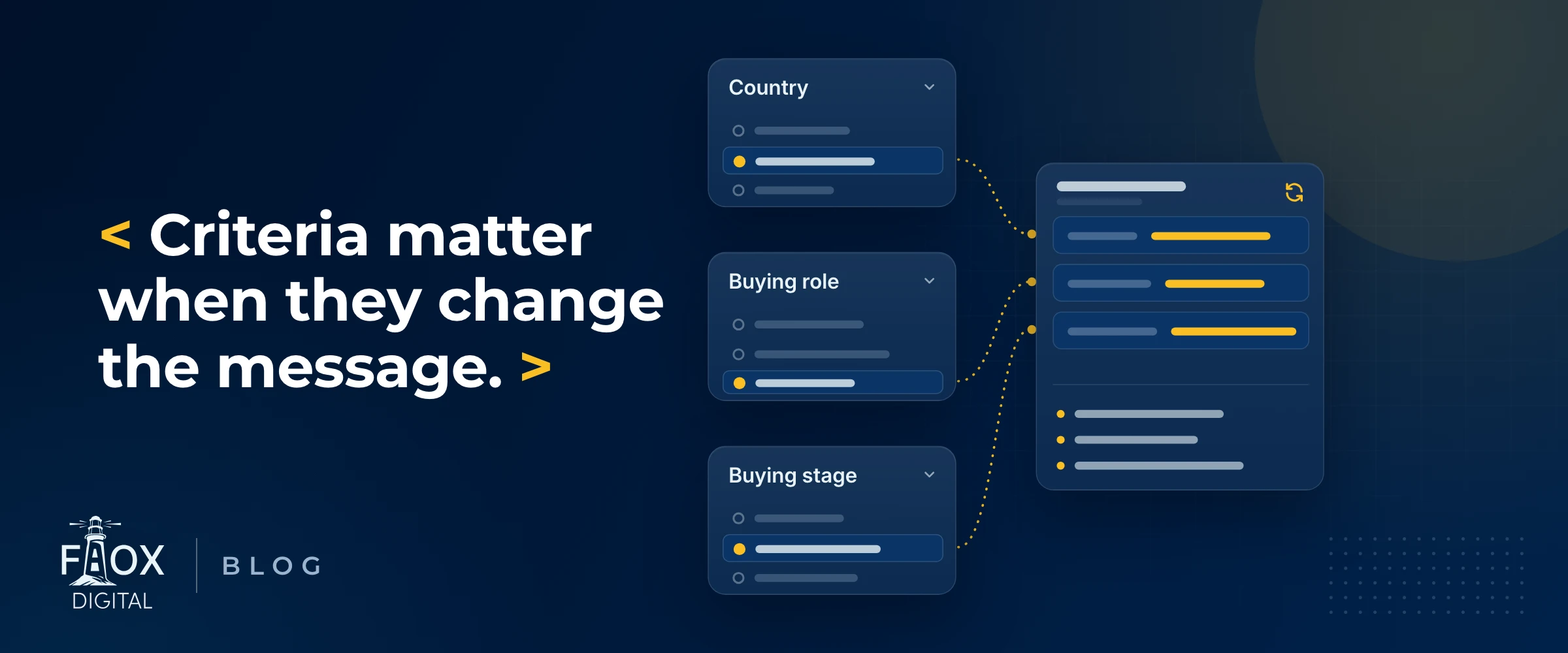
The most useful B2B segmentation criteria fall into three groups: company data (industry, company size, country), person data (language, job role, and whether someone is a decision maker or a technical evaluator) and relationship data (buying stage, product group, contact source, engagement level, customer or prospect, dealer or distributor). Start with the two or three criteria that change what you would say, store each one as a CRM field with a fixed list of values, and build segments as rules that update themselves.
Most B2B lists are segmented by accident: one list per trade fair, one per salesperson, one per old campaign. The result is a dozen lists nobody trusts and emails that go to everyone because choosing feels too hard.
This guide goes through the criteria that matter in B2B, with an example for each, then shows how to combine them in a follow-up sequence and set them up in a CRM. For why segmentation matters in the first place, see our guide to segmenting a B2B email list.
B2B segmentation criteria at a glance
These are the B2B segmentation variables most companies need, what each one changes and where it lives:
| Criterion | Example values | What it changes | Stored as |
|---|---|---|---|
| Industry | Food and beverage, chemicals, automotive suppliers | Applications, regulations and examples | Company field, fixed list |
| Company size | Micro, small, medium-sized, large | Who decides and how long it takes | Company field, size bands |
| Country | Germany, Poland, United States | Trade fairs, rules, distributors, units | Company field, fixed list |
| Language | German, English, Turkish | The language of every email | Contact field, fixed list |
| Job role | Engineering, maintenance, purchasing, management | Topics and level of detail | Contact field, fixed list |
| Buying role | Decision maker, technical evaluator, purchaser, user | The argument that matters | Contact field, fixed list |
| Buying stage | New contact, active prospect, customer, former customer | The next useful step | Set by rules from CRM data |
| Product group | Pumps, valves, spare parts | Products and documents to send | Contact field, several values |
| Contact source | Trade fair, website form, webinar, distributor | The first emails | Contact field, set once |
| Engagement level | Engaged, quiet, inactive | How often and what to send | Calculated from clicks and replies |
| Customer or prospect | Customer, prospect | Content and the basis for sending | Company field, from the CRM or ERP |
| Partner type | Dealer, distributor, agent | Price lists, training, launch kits | Company field, fixed list |
You will not use all twelve at once. The sections below show what each one is good for.
Company criteria: industry, company size and country
Industry decides which applications, regulations and examples make sense to a reader. Use a standard classification as the backbone, such as NACE in the EU or NAICS in North America, and map it to a short list of the industries you actually target. Eurostat notes that the newest version, NACE Rev. 2.1, is used for European statistics from 2025. A short list of clear values beats hundreds of codes that nobody chooses correctly.
Company size changes who decides and how long a purchase takes. The European Commission’s SME definition (Recommendation 2003/361) gives ready-made bands: micro companies have fewer than 10 staff, small ones fewer than 50 and medium-sized ones fewer than 250, each with a turnover or balance sheet ceiling. Store the band, not only the headcount, so segments stay simple.
Country changes trade fairs, regulations, distributors, units and time zones. Store it at company level, and add a separate field when a group’s buying office sits in a different country from the plant.
Language: a criterion of its own
Language is not the same as country. A Swiss customer may read German, French or Italian; an export manager in Poland may prefer English; a distributor may want the newsletter in its own language and technical documents in English. Store the preferred language on each contact, ask for it on forms, and send each language version only to the people who chose it.
Person criteria: job role, decision maker and technical evaluator
Job role tells you what someone works on: engineering, maintenance, production, purchasing, quality or management. Use a fixed list of functions rather than free-text job titles, which come in endless variants.
The buying role tells you what someone does in a purchase. Two matter most:
- A technical evaluator, often an engineer, checks whether the product fits. Send datasheets, drawings, test results and application notes.
- A decision maker weighs cost, risk and reliability. Send total cost of ownership, references, delivery reliability and service terms.
Purchasers and users need something different again: terms and lead times for the first, handling and maintenance for the second. One company can have all four in the same deal, so segment people, not only companies.
Buying stage, product group and contact source
Buying stage says where the relationship stands: a new contact, an active prospect with an open opportunity, a customer or a former customer. Set it by rules from CRM data rather than by hand, so it changes when an opportunity opens or an order arrives.
Product group records what each contact is interested in, from forms, downloads, trade fair notes and past orders. Allow several values, because a maintenance manager may care about pumps and spare parts at the same time.
Contact source records where you first met: a trade fair, a website form, a webinar, a distributor referral. It decides the first emails, because a person you spoke to at a stand expects a different message from someone who downloaded a guide; our guide to trade show follow-up covers the first emails after a fair. Set the source once and never overwrite it, so you can later see which sources produce customers.
Engagement level
Engagement level groups contacts by how they respond: engaged (clicked, replied or met you recently), quiet (no response for a few months) and inactive (no response for a longer period you define). Build it from clicks, replies, form submissions and meetings, not from opens: Apple says its Mail Privacy Protection prevents senders from seeing whether a message was opened.
Engaged contacts can receive more; quiet contacts get your best content less often; inactive contacts get a re-engagement email and, if nothing changes, leave the active list. Our guide to email list hygiene explains how to do that without losing good contacts.
Customer or prospect, dealers and distributors
Customer or prospect is one of the most useful splits. Customers want service news, spare parts, upgrades and invitations; prospects want proof that you can solve their problem. The split also matters for the basis on which you send. In the EU, Article 13(2) of the ePrivacy Directive (consolidated text, 2009) lets a company email its own customers about its own similar products or services, provided they are clearly and distinctly given the opportunity to object, free of charge and in an easy manner, when their address is collected and in every message. Prospects usually need consent, depending on national rules for business addresses.
Dealers and distributors need their own segment, because they read your emails as partners: price lists, launch kits, training dates and stock news. Keep them out of campaigns meant for end customers, or at least tell them in advance what their customers will receive.
B2B segmentation examples by industry, role and stage
Combined, the criteria produce segments a sales team recognizes at once. Some typical examples:
| Segment | What they receive | Why it works |
|---|---|---|
| Technical evaluators at food and beverage plants, active prospects | Hygiene requirements, a cleaning validation guide, datasheets | They are specifying now and need proof that the product fits |
| Maintenance managers at chemical plants, customers | Spare parts reminders before planned shutdowns, service offers | They own the equipment and plan maintenance in advance |
| Purchasers at automotive suppliers, active prospects | Lead times, delivery terms, quality certificates | Purchasing compares terms once the engineers have approved |
| Decision makers at former customers, any industry | What has changed since their last order, an offer of a review meeting | They know you, and a change can reopen the conversation |
| Distributors in one country | The new price list, a launch kit, training dates | They need to be ahead of their own customers |
Each segment uses no more than three criteria, and each one changes what the email says.
Example: a follow-up sequence by source, product interest and engagement
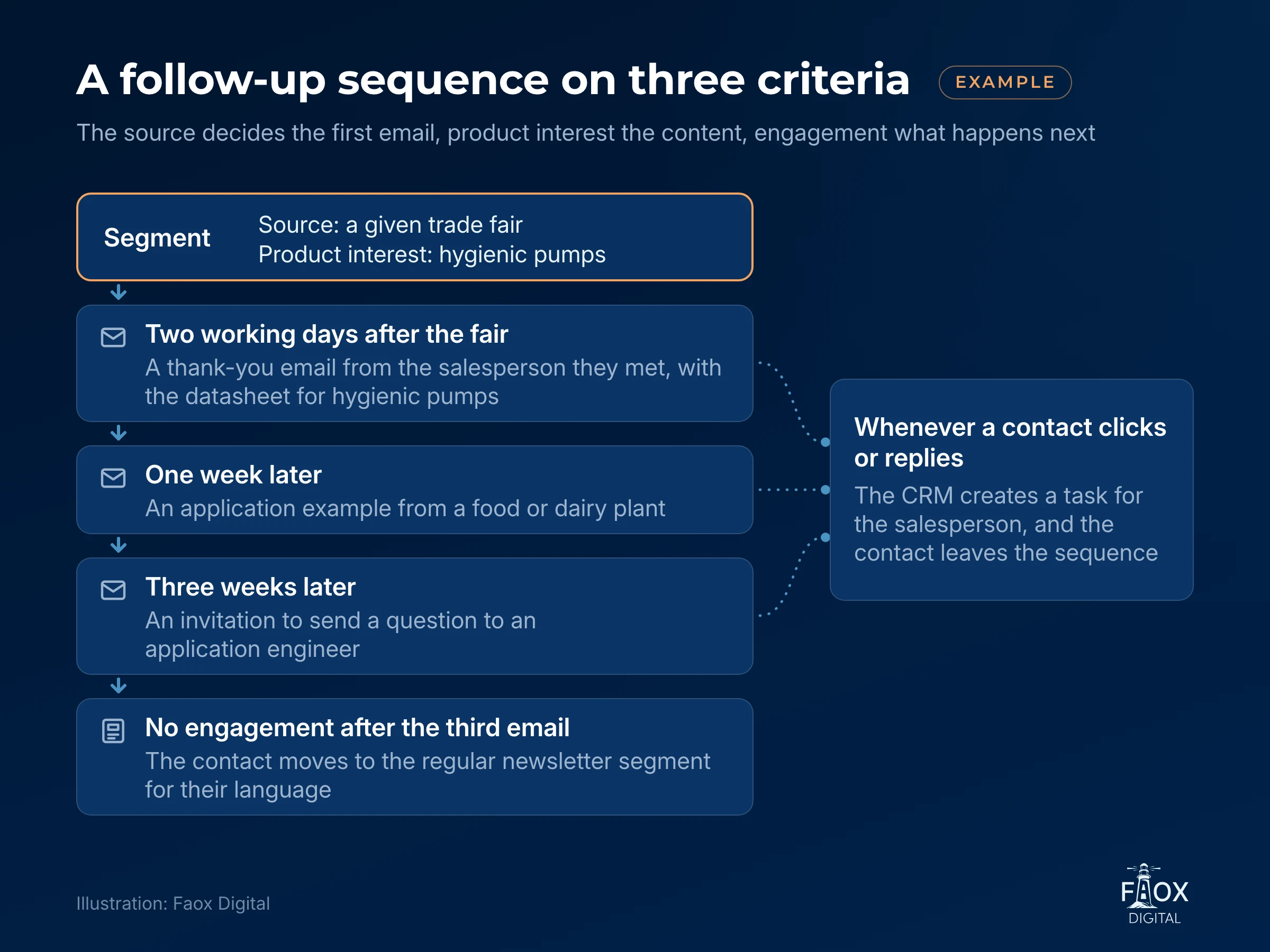
Criteria earn their keep when they work together. Here is a sequence for a hypothetical pump maker, built on the three criteria that matter most after a trade fair: follow-up sequences based on source, product interest and engagement. The segment is every contact whose source is a given trade fair and whose product interest is hygienic pumps.
- Two working days after the fair: a thank-you email from the salesperson they met, with the datasheet for hygienic pumps.
- One week later: an application example from a food or dairy plant, matched to their industry where you know it.
- Three weeks later: an invitation to send a question to an application engineer.
- Whenever a contact clicks or replies: the CRM creates a task for the salesperson, and the contact leaves the sequence.
- No engagement after the third email: the contact moves to the regular newsletter segment for their language.
The same structure works for other sources and product groups: change the rule and the documents, keep the logic. What to send over the following months, once the sequence ends, is covered in our guide to nurturing B2B leads.
Setting up the CRM fields
Segments are only as good as the CRM fields behind them. A starter set for a B2B company:
- Company fields: industry, size band, country, customer or prospect, partner type
- Contact fields: language, job role, buying role, product interest, contact source, consent status
- An engagement level calculated from clicks, replies and meetings
- A fixed list for every field, with one person who approves new values
- Dynamic segments built as rules on those fields, with clear names such as "DE, technical evaluators, hygienic pumps"
- A one-line note for each segment saying who uses it and why
Fill the fields gradually instead of asking for everything at once: language and product interest on the first form, job role at the next interaction, buying role when sales meets the contact.
Combining criteria without over-segmenting
Most useful segments combine two or three criteria: language and product group for a newsletter, buying role and buying stage for a campaign, source and product interest for a follow-up sequence. Add a criterion only if it changes what you would write.
If a segment is too small to deserve its own email, merge it with the nearest one and adapt a paragraph with a dynamic content block instead. And if building segments shows that most fields are empty or the list is full of bounced addresses, the next question is whether list cleaning services can help, and what they won’t fix.
Common segmentation mistakes
- Segmenting by data you do not have, so most contacts fall into "unknown".
- One static list per trade fair or campaign, saved once and never updated.
- Overwriting the contact source with the latest form a contact filled in.
- Too many segments for the content you have, so the same email goes to all of them anyway.
- Segments nobody owns, which keep growing until nobody knows what they mean.
How Faox Digital segments B2B lists
Faox Digital, a digital growth partner for B2B companies in complex and international markets, segments lists by behavior and stage rather than sending one message to everyone, after an audit that removes dead and duplicate contacts. Starting from trade fair contacts or a spreadsheet is fine, and the segments, emails and follow-up are built in the client’s own tools for the client to sign off.
Key takeaways
- B2B segmentation criteria come from company data, person data and the relationship with each contact.
- Language, buying role and buying stage usually change what you write more than industry or size do.
- Store every criterion as a CRM field with a fixed list, and fill the fields gradually.
- Combine source, product interest and engagement for follow-up sequences that react to what each contact does.
- Use two or three criteria per segment, and merge segments that are too small to matter.
Frequently asked questions
What are the main B2B segmentation criteria?
Company criteria (industry, company size, country), person criteria (language, job role, buying role) and relationship criteria (buying stage, product group, contact source, engagement level, customer or prospect, partner type). Start with the two or three that change what you would say.
How do you segment B2B customers?
Store each criterion as a CRM field with a fixed list of values, fill the fields gradually from forms, sales notes and orders, then build dynamic segments as rules on those fields. Check each segment by clicks and replies, and merge those too small to matter.
What is the difference between B2B market segmentation and email segmentation?
Market segmentation is a strategy decision: which industries, countries and company types to target at all. Email segmentation works inside that choice, dividing the contacts you already have so that each group gets messages that fit.
What are examples of B2B segmentation?
Technical evaluators in food and beverage plants interested in hygienic pumps; customers whose equipment is due for maintenance; distributors in one country who need the new price list; and trade fair contacts who have not replied yet.
Sources
- European Commission: SME definition, accessed November 2026
- Eurostat: NACE overview, accessed November 2026
- EUR-Lex: Directive 2002/58/EC (ePrivacy), Article 13, consolidated text 2009
- Apple Support: Use Mail Privacy Protection on iPhone, accessed November 2026
Let’s talk
Have contacts you never follow up with?
Tell us about the list you already have. We will show you how email and CRM can turn it into conversations.