
YouTube for B2B: How to Set Up and Run a Company Channel
How a B2B company sets up a YouTube channel that several people can manage, which videos belong on it, and how to make them findable in YouTube search, in other languages and on its own website.
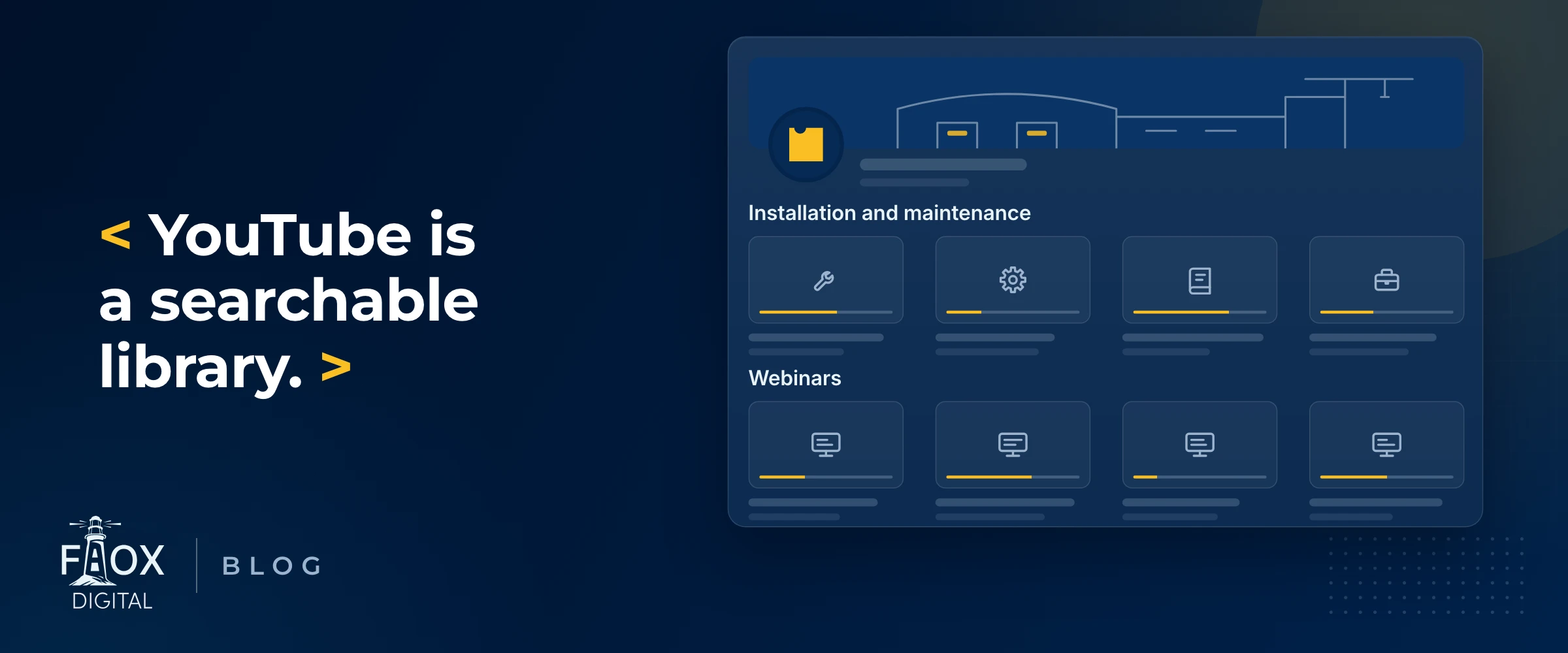
YouTube for B2B works as a library of videos that buyers search for: product demonstrations, how-to guides, webinar recordings and short clips. Create the channel with a Brand Account so several colleagues can manage it, verify it to allow longer videos and custom thumbnails, organize videos into playlists, write titles and descriptions in your buyers’ words, add subtitles in each market’s language and embed the videos on your website.
For most B2B companies, the company page on LinkedIn is the main social channel, and our LinkedIn company page guide covers how to run it. YouTube does a different job. A LinkedIn post mostly reaches people in the feed soon after you publish it, while a good YouTube video keeps answering the same question every time a buyer, an engineer or a technician searches for it.
This guide covers how to set up a company channel, what to publish on it and how to make the videos easy to find.
What YouTube for B2B is good for
YouTube reaches the older age groups that most other platforms miss. Pew Research Center’s fact sheet of October 2026, based on a survey from January to June 2026, shows that 85% of US adults aged 50 to 64 and 65% of those 65 and older use YouTube, against 41% and 21% for Instagram. Buyers use it in their work too: in Forrester’s 2026 report on more than 17,000 business buyers, Facebook was the platform respondents most often cited as meaningful in their purchase journey, followed by Instagram and YouTube, with LinkedIn next.
A B2B YouTube strategy treats the channel as a library rather than a feed. Its strongest videos answer questions that come up again and again: how a product works, how to install or maintain it, which version suits which application. YouTube for manufacturers, distributors and engineering firms works best when the same videos also sit on the product pages and in sales emails.
Create the channel with a Brand Account
A channel created from a personal Google Account belongs to one person. For a company, YouTube’s Help Center describes a channel with a business or other name, connected to a Brand Account, which can have more than one owner or manager. At the time of writing (November 2026):
- Sign in to YouTube on a computer with a company Google Account.
- Open your channel list and choose Create a new channel.
- Enter the company name, a handle and a profile picture.
- Click Create channel. This creates a new Brand Account for the channel.
- Invite colleagues in YouTube Studio under Settings and Permissions, rather than sharing a password.
Channel permissions come in several roles. A Manager can manage permissions and edit channel details, an Editor can edit and publish content but cannot delete published content or manage permissions, a Subtitle Editor can only work on subtitles, and a Viewer can see but not change. Keep the Owner role inside the company, give an agency or freelancer the Editor role, give a translator the Subtitle Editor role, and remove access when someone leaves.
Verify the channel to get more features
A new channel starts with standard features. Several features a B2B channel needs come only with verification:
| Level | How you get it | Features a B2B channel uses |
|---|---|---|
| Standard | Create the channel | Upload videos and Shorts, create playlists, publish posts |
| Intermediate | Verify a phone number | Videos longer than 15 minutes, live streaming on a computer, custom thumbnails, podcasts |
| Advanced | Channel history, or verification with an ID or a video | Clickable links in descriptions, chapters, a related video link on Shorts, pinned comments, multi-language features |
Phone verification matters as soon as you upload a webinar: by default, YouTube accepts videos of up to 15 minutes. Verify at the start, and check what the channel can use in YouTube Studio under Settings, Channel and Feature eligibility.
Channel settings to complete first
Complete the channel settings before you publish, under Customization and Profile in YouTube Studio:
- Name and handle: the company name as buyers know it. Each can be changed twice within 14 days, so choose carefully.
- Description: what you make, for which industries and markets, in plain words. You can add translations of the channel name and description for other languages.
- Links: up to 14, with the first shown near the Subscribe button. Put your website first, then your LinkedIn page and key product or contact pages.
- Contact info: an email address for business questions.
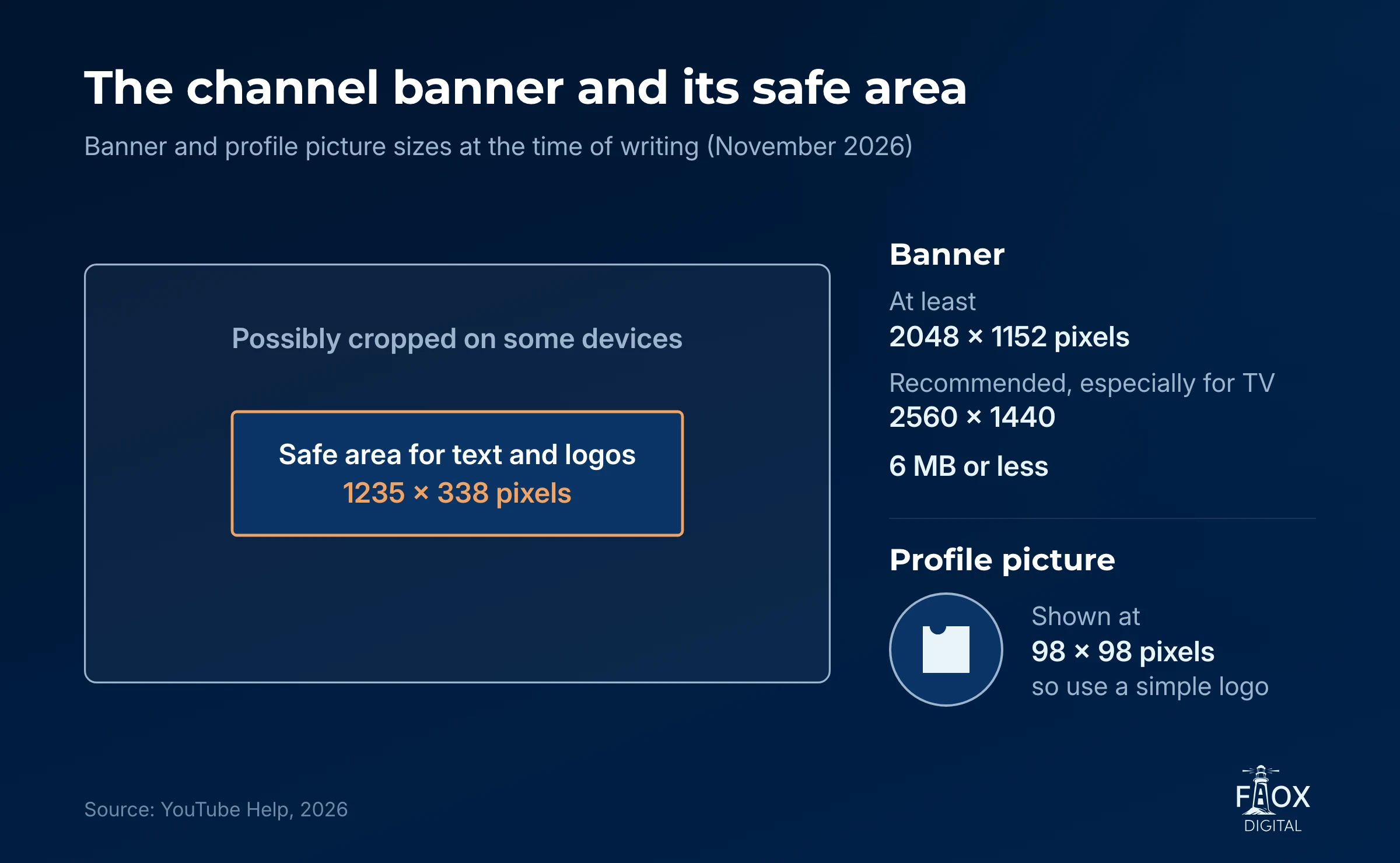
- Profile picture and banner: the profile picture is shown at 98 x 98 pixels, so use a simple logo. The banner needs at least 2048 x 1152 pixels (2560 x 1440 is recommended, especially for TV) and 6 MB or less, with text and logos inside the central safe area of 1235 x 338 pixels.
Organize videos into playlists
Playlists turn a list of uploads into a library. Group videos the way buyers look for them: one playlist per product line or application, one for installation and maintenance, one for webinars and one for the company and its people. A video can sit in several playlists, and a whole playlist can be embedded on a web page.
Give each playlist a clear name and a short description, and keep the order logical, for example from overview to installation to troubleshooting. Review the playlists every quarter as new videos arrive.
What to publish: demos, how-tos, webinars and Shorts
Four kinds of video carry most B2B channels:
- Product demo videos show how a product works and what it is for, usually in a few minutes, and your sales team can send them to buyers.
- How-to videos cover installation, setup, maintenance and troubleshooting. These manufacturing videos on YouTube answer questions that would otherwise go to your service team.
- Webinar recordings give a second life to a live session. Cut out the waiting at the start, and add chapters so viewers can jump to the part they need.
- Shorts are YouTube’s short vertical videos. Use them for single moments, such as a test or a machine cycle, and, once the channel has advanced features, link each Short to the longer video it comes from.
Podcasts are a fifth option if you run an interview or discussion series. On YouTube, a podcast is a playlist whose episodes are videos: in YouTube Studio you create a new podcast or set an existing playlist as one, with a title, a description and a square thumbnail. Each episode is a video, so record your interviews on camera; podcasts may also be eligible to appear in YouTube Music.
Write the title and description for YouTube search
YouTube’s Help Center names three elements in its search ranking: relevance, which includes how well the title, tags, description and video content match the search; engagement, such as watch time for that search; and quality, meaning signals that a channel shows expertise, authoritativeness and trustworthiness on the topic.
So write for the search your buyer types:
- Title: up to 100 characters. Name the product type, the task and, where it matters, the standard or application, such as "How to replace the seals on a hydraulic cylinder".
- Description: say in the first two lines what the video shows and for whom, then add links to the product page and documentation.
- Chapters: list timestamps in the description, starting at 00:00, with at least three chapters of 10 seconds or more.
- Thumbnail: a custom 16:9 image showing the product or the task, once the channel is verified.
After a few months, the YouTube search report in YouTube Studio’s analytics shows which terms viewers searched when they found your videos. Use those words in new titles.
Subtitles and multilingual subtitles
Subtitles help viewers who watch without sound and viewers in other markets. How to produce and check them is covered in the video production guide linked below; on the channel side, YouTube Studio’s Subtitles menu holds both the subtitle files for each language and translated titles and descriptions, so viewers can find a video in their own language. For multilingual subtitles, give your translators the Subtitle Editor role, and have a native speaker who knows your products review each language before it goes live.
Embedding videos on your website
To embed a video or playlist, click Share under it, choose Embed and paste the HTML code into your page. YouTube’s privacy-enhanced mode, which uses the youtube-nocookie.com domain, keeps a view on your site from personalizing the viewer’s YouTube experience.
Place each video on the page it explains: the product demo on the product page, the maintenance video next to the manual. Google’s video SEO guidance (updated December 2025) says Google can find videos embedded with standard elements such as an iframe, but to be eligible for video features such as video results, a video must be embedded on an indexed watch page, a page whose main purpose is to show that one video; a page where the video complements other content, such as a product page, can still appear as a text result. So put each video where it helps the reader, on a page Google already indexes.
Before you publish: a checklist
- The title names the product and the task in your buyers’ words
- The first two lines of the description say what the video shows and link to the product page
- Chapters are added to anything longer than a few minutes
- The thumbnail shows the product or the task, not just a logo
- Subtitles are checked, and translated where the market needs them
- The video is in the right playlist
- The video is embedded on the matching page of your website
Where YouTube fits with your other channels
Production comes before the channel: our guide to B2B social media video covers planning, filming, light, sound and subtitles. If your company page on LinkedIn is not set up yet, start with our LinkedIn page setup checklist, and if your plant and projects are strong visual material, read our guide to Instagram for B2B before you decide on a second visual channel.
Once LinkedIn and YouTube run, the next question is often whether other networks deserve your time. Our article on secondary social channels looks at when Quora and Pinterest earn a place.
How Faox Digital approaches a B2B YouTube channel
Faox Digital treats YouTube as one part of a B2B company’s organic social media, planned together with LinkedIn, Instagram, X and Facebook rather than on its own. We plan the videos market by market and language by language in a monthly calendar the client approves, make the writing, graphics and video in the company’s own voice, then reply to comments and check whether the right people watch and get in touch.
Key takeaways
- YouTube for B2B is a searchable library: demos, how-tos, webinars and Shorts that answer the same questions for years.
- Create the channel with a Brand Account, keep the Owner role in the company and give helpers limited roles.
- Verify the channel early to get videos longer than 15 minutes, custom thumbnails and podcasts.
- Write titles and descriptions in your buyers’ words, add chapters and subtitles, and group videos into playlists.
- Embed each video on the website page it explains.
Frequently asked questions
Is YouTube a good social media channel for B2B marketing?
Yes, as a supporting channel to LinkedIn. It reaches every age group, including older viewers whom Instagram and TikTok reach far less, and its videos stay findable in search. It works best for companies with products, processes or expertise that are easier to show than to describe.
Does a B2B company need a Brand Account for YouTube?
It is the safer choice. A channel with a business name connected to a Brand Account can have more than one owner or manager, so the channel does not depend on one employee’s personal Google Account, and channel permissions let you give others limited access.
How often should a B2B company upload to YouTube?
Regularity matters more than volume. One or two well-made long videos a month, plus Shorts cut from them, is a pace most teams can keep, and every new video adds to a library that keeps working.
Should a B2B company make YouTube Shorts?
Yes, if you already film longer videos. Short vertical clips cut from a demo or a test can reach viewers who would not start a long video, and a channel with advanced features can link each Short to the full video.
Sources
- YouTube Help: Learn about feature access for YouTube Creators, accessed November 2026
- Google Search Central: Video SEO best practices, updated December 2025
- Pew Research Center: Americans’ Use of Social Media in 2026, October 2026
- Forrester: Social Media Takes Center Stage In B2B Buying, Even In The AI Era, January 2026
Let’s talk
Want social media that reaches the right people?
Tell us who you want to reach. We will look at your channels and suggest a plan your team can keep up with.